MetaMask is how most people reach DeFi protocols, NFT marketplaces and Uniswap. Keeping thousands of dollars in a browser extension is another matter, and the nervousness is justified. Extensions get compromised, phishing sites harvest keys, and malicious dApps drain wallets.
How to Use Tangem Wallet With MetaMask
You have a Tangem card, or you are about to buy one, because you want your keys on hardware. Now you want to know how to use Tangem wallet with MetaMask in a New Zealand setup: keep the dApps you are used to, but sign with the card. This guide gives the honest working answer, including where Tangem differs from a Ledger connected to MetaMask.
Note: this reflects how Tangem and MetaMask work together in 2026. It is technical, educational content, not financial advice. DeFi carries real risks, including smart contract failure and impermanent loss.
The short answer: Tangem does not plug into MetaMask like Ledger
Tangem does not have native MetaMask hardware wallet integration the way Ledger and Trezor do. You will not find Tangem in MetaMask’s “Connect Hardware Wallet” menu.
What you use instead is one of two approaches:
- WalletConnect: the Tangem app connects to the same dApps you would use with MetaMask, via a QR code.
- Connecting from inside the Tangem app: opening supported dApps directly from your phone, without MetaMask in the middle.
Both give you card-based signing for dApps without leaving funds in a browser extension. Plenty of people end up using both, depending on the app.
Why the answer needs some nuance
MetaMask is a hot wallet: the private keys live in your browser extension. Tangem is a cold wallet: the key is on the physical card and never exposed to a browser or app. The Ledger-style link between the two is not something Tangem currently supports.
The goal behind the question is still achievable, though. If what you want is to use DeFi, NFT and other dApp interfaces with hardware-secured signing, the two methods above get you there.
How Ledger and MetaMask work together
A Ledger connects to MetaMask over USB, or Bluetooth on some models. MetaMask shows your Ledger accounts, and when you sign, it passes the transaction to the device, which asks you to confirm on its own screen. The key stays on the Ledger while MetaMask handles the dApp side.
Why Tangem is different
Tangem uses NFC (Near Field Communication) rather than USB. You tap the card to your phone to sign. That has some security upsides (no cable, no persistent connection), but it does not fit MetaMask’s hardware wallet model, which expects a USB or Bluetooth device attached to the computer.
What you are actually trying to do
Take the brand names out and the goal is simple: you want dApp transactions signed by hardware. WalletConnect and in-app connections both deliver that, just by a different route than MetaMask plus Ledger.
Method 1: WalletConnect (the mainstream approach)
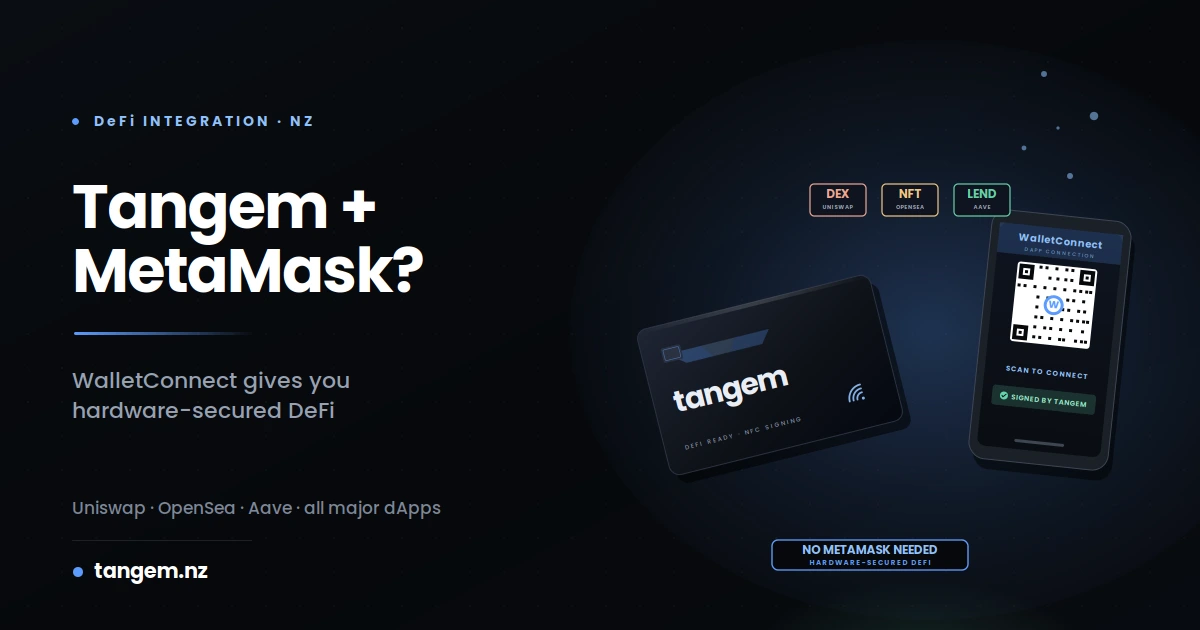
WalletConnect is the practical option for most Tangem owners who want MetaMask-style dApps. The Tangem app on your phone scans a QR code shown by the dApp, and every transaction is then signed by tapping your card. MetaMask is not involved at all, but the dApps you used it for still work.
Which dApps support WalletConnect
Most of the major DeFi and NFT platforms, for example:
- DEXs: Uniswap, SushiSwap, PancakeSwap, Curve
- Lending: Aave, Compound, MakerDAO
- NFT marketplaces: OpenSea, Blur, Magic Eden, LooksRare
- Bridges: Stargate, Synapse, Across
- Staking: Lido, Rocket Pool and most liquid staking protocols
If a dApp’s connect screen shows “WalletConnect” next to “MetaMask”, you are fine.
Step-by-step WalletConnect setup with Tangem
- Open the Tangem app on your phone.
- Go to the dApp you want to use, in a browser on your computer or phone.
- On the dApp, click “Connect Wallet” and choose “WalletConnect“.
- A QR code appears on the dApp.
- In the Tangem app, tap the WalletConnect or scan icon.
- Scan the QR code.
- Confirm the connection in the Tangem app.
- Whenever you sign a transaction, tap your Tangem card to your phone.
The first time takes two or three minutes. After that, the connection to the same dApp usually stays open for the session.
When WalletConnect works and when it does not
Works well with any dApp that explicitly supports WalletConnect, which covers most significant DeFi and NFT platforms. Does not work with small dApps that only support the MetaMask extension, older dApps that have not moved to current WalletConnect versions, and some permissioned or enterprise DeFi platforms.
Method 2: Connecting from inside the Tangem app
The second route keeps everything on your phone. Rather than scanning a code from a desktop browser, you open the dApp on the same phone and connect it to the Tangem app, so signing stays on the card. For anything that does not work this way, fall back to WalletConnect from a computer.
Which dApps work this way
The most-used DeFi and NFT platforms, including Uniswap, OpenSea, Aave and the major staking protocols, generally work from a phone. Menu names and supported features change between app versions, so check the current Tangem app (the 6.x line at the time of writing) rather than relying on a screenshot from last year.
Step-by-step on your phone
- Open the Tangem app.
- Find the WalletConnect, Browse or dApps option, depending on your app version.
- Open the dApp you want on the same phone.
- Approve the connection so the dApp sees your Tangem wallet.
- Use the dApp as normal.
- Tap your card when prompted to sign.
Staying on one device is usually a few seconds quicker per transaction than switching between a computer and a phone.
Trade-offs vs desktop WalletConnect
Phone-only advantages: quicker, simpler, no QR code to scan. Desktop WalletConnect advantages: works with any dApp that supports WalletConnect, and suits people who prefer a big screen for DeFi while signing on the phone.
A common pattern is the phone for everyday dApps like Uniswap and OpenSea, and desktop WalletConnect for newer or less common ones.
What about actual MetaMask integration?
Tangem does not currently work as a hardware wallet source inside MetaMask. MetaMask’s “Connect Hardware Wallet” menu lists Ledger, Trezor and a handful of others, but not Tangem. That comes down to the NFC design not matching what MetaMask’s integration expects.
If your workflow genuinely needs MetaMask itself as the interface, a USB device like Ledger or Trezor is the better fit. If what you want is hardware-secured dApp access, WalletConnect and the Tangem app solve that without MetaMask.
Workarounds that do not make sense
You will see a few suggestions online that either do not work or defeat the purpose:
- “Import your Tangem seed phrase into MetaMask”: most Tangem wallets are set up without a seed phrase, so there is nothing to import. If you did create one, typing it into a browser extension turns your cold wallet into a hot one.
- “Connect Tangem to MetaMask via WalletConnect”: MetaMask is a wallet, not a dApp, so it does not accept WalletConnect connections from another wallet.
- “Sign MetaMask browser transactions with the Tangem phone app”: there is no such link at present.
Skip these. WalletConnect to the dApp, or connecting from the Tangem app, are the routes that work.
Tangem replaces MetaMask rather than adding to it
It helps to think of Tangem as both your wallet and your way of connecting to dApps, not as a hardware add-on for MetaMask. Once that clicks, the setup is straightforward. Your MetaMask wallet can keep a small amount for occasional use, or nothing at all, while your main holdings and DeFi activity move to card signing.
Comparison table of Tangem approaches vs MetaMask with Ledger
Match the approach to how you work:
| Aspect | Tangem + WalletConnect | Tangem on phone | MetaMask + Ledger |
|---|---|---|---|
| Hardware signing | Yes | Yes | Yes |
| Works with major DeFi | Most | Major apps | All |
| Works with any dApp | Needs WalletConnect support | Needs WalletConnect support | Any dApp |
| Setup complexity | Easy | Very easy | Moderate |
| Browser extension required | No | No | Yes |
| Hardware cost | From NZ$109.99 (2-card set) | From NZ$109.99 (2-card set) | Varies by Ledger model, MetaMask is free |
| Seed phrase to protect | Optional | Optional | Yes (24 words) |
| Multi-device access | Tap the card on any phone with the app | Tap the card on any phone with the app | Possible, more setup per device |
| Fits mobile-first users | Very well | Very well | Awkward |
| Fits desktop-heavy users | Some friction | Not ideal | Very well |
If you live in desktop DeFi all day, MetaMask with a Ledger genuinely fits better. If you are mostly on your phone, or you want to avoid looking after a seed phrase, Tangem’s approach is much cleaner.
NZ-specific considerations for Tangem and DeFi
Three local factors are worth knowing: tax (DeFi activity can create taxable events), timing (Ethereum fees tend to be higher during US trading hours), and getting NZD in through an exchange that lets you withdraw to your Tangem address.
DeFi tax for NZ users
IRD generally treats swapping one token for another as a disposal, and yield, staking rewards and NFT sales can all count as income. In practice most DeFi activity creates something you need to record. Our Crypto Tax NZ 2026 Guide covers yield farming, staking rewards and NFTs in more detail. Keep records as you go; rebuilding a year of DeFi history at tax time is painful.
Timing transactions for lower gas fees
Ethereum gas prices follow global activity. US trading hours, roughly 2am to 9am NZ time, tend to be the busiest and most expensive. NZ afternoon and evening is often quieter. For anything that is not urgent, waiting for a quieter period can noticeably reduce fees, though it varies day to day, so check a gas tracker before you sign.
NZ on-ramps that work with Tangem
Getting NZD into your Tangem wallet usually goes NZD to an exchange, then withdraw the crypto to your Tangem address. Exchanges used in New Zealand include Easy Crypto (NZ-based), Independent Reserve, Kraken and Coinbase, all of which allow withdrawals to an external wallet. Check current availability and fees before you commit. Our guide to moving crypto from an exchange to a cold wallet walks through the withdrawal.
Why the security difference matters
Moving from MetaMask alone to card signing is a real security improvement, not paranoia. Browser-extension wallets have been drained through malicious dApps asking for unlimited token approvals, browser exploits, fake dApp sites, clipboard malware that swaps addresses, and data pulled from compromised computers.
Card signing removes most of those routes, because the private key never leaves the card. A malicious dApp can still ask you to sign something, so read what you are approving before you tap. But a compromised browser cannot reach a key that is not in the browser. Our phishing and fake app guide covers the approval scams in more depth.
If you have more than a couple of thousand dollars doing anything in DeFi, hardware signing is worth it. A Tangem 2-card set is NZ$109.99 including GST, which is small next to what a single drained wallet costs.
FAQs
Does Tangem work with MetaMask like Ledger does?
Not directly. Tangem does not appear in MetaMask’s “Connect Hardware Wallet” menu because it uses NFC rather than USB. You get the same practical result, hardware-secured dApp signing, by connecting Tangem to dApps through WalletConnect or from inside the Tangem app.
Can I import my MetaMask wallet into Tangem?
The clean way is to send, not import. A key generated on a Tangem card has never been exposed anywhere else, and that is the point of it. A MetaMask seed phrase has already lived in a browser extension. So create your Tangem wallet on the card, then send your funds from MetaMask to the new Tangem address as an ordinary on-chain transaction.
Which is safer, MetaMask or Tangem?
Tangem, for any meaningful amount. MetaMask keys sit in your browser extension, exposed to whatever compromises your browser, computer or the dApps you connect. Tangem keys stay on the card, so a compromised computer cannot get to them. Both are legitimate tools; they suit different jobs.
Does Tangem work with Uniswap, OpenSea, and other major DeFi/NFT apps?
Yes, through WalletConnect. Uniswap, OpenSea, Aave and almost every major DeFi and NFT platform support it, and it pairs cleanly with the Tangem app on desktop or phone.
Can I use Tangem for staking Ethereum in NZ?
Yes, through WalletConnect. Liquid staking protocols such as Lido and Rocket Pool support it. Some other proof-of-stake coins can be staked from within the Tangem app itself; check the app for which ones are available. Every staking transaction still needs a tap of your card.
What happens if I lose my Tangem card while connected to DeFi?
Your funds are safe as long as you still have a backup card. All cards in a set share the same key, so any remaining card opens the wallet with your access code. A 3-card set, such as the Classic Black, lets you keep one card for daily use, one at home and one somewhere else entirely. For active DeFi users we suggest three cards.
Should I keep any funds in MetaMask or move everything to Tangem?
Move anything significant to Tangem and keep only small working amounts in MetaMask, if any. Some people leave $50 to $200 there for gas or quick low-stakes transactions. Others drop MetaMask entirely and use WalletConnect or the Tangem app. Either works, as long as nothing important is sitting in a browser-based hot wallet.