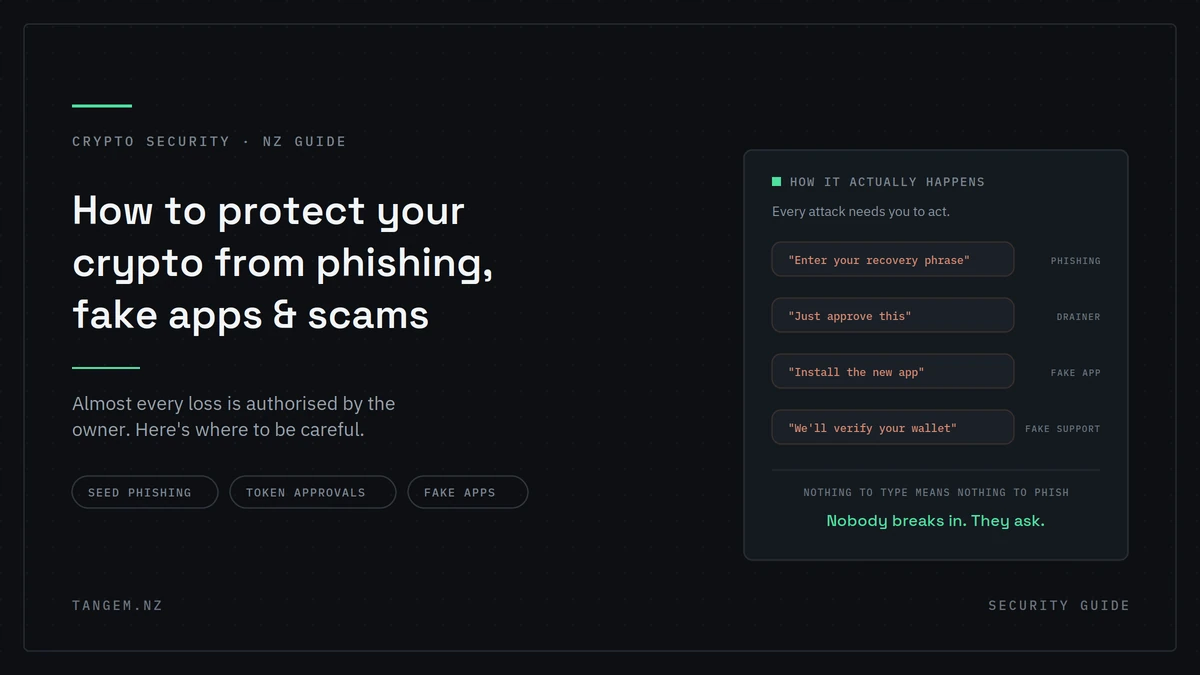
Nobody breaks into your wallet. That’s the part most people get wrong.
How to protect your crypto from phishing, fake apps and wallet scams
What actually happens is a message that looks like support, a page that looks like your wallet, an app that looks like the real one, and a button you press yourself. Learning how to protect your crypto from phishing, fake apps and wallet scams starts with understanding that almost every loss is authorised by the owner. The attacker’s whole job is getting you to do it.
Which is oddly good news. It means the defence isn’t technical. It’s a short set of habits, and you can put most of them in place in an hour.
You probably won’t be hacked. You’ll be asked.
The overwhelming majority of crypto losses involve the owner entering a recovery phrase, signing a transaction, or installing something. The cryptography almost never fails. The person does, usually while being helpful, or hurried, or hopeful.
That reframing matters because it tells you where to be careful: not at the maths, but at the moment of approval.
The ways your crypto actually gets taken
Nearly every theft fits one of a handful of patterns. Learn the shapes and you’ll recognise a new variant even when the story is unfamiliar.
| Attack | How it reaches you | What it needs from you | What stops it |
|---|---|---|---|
| Recovery phrase phishing | Fake support, “wallet sync”, airdrop claim pages | You type your 12–24 words | Never entering a phrase anywhere, ever |
| Malicious signing / drainers | A dApp, mint page or airdrop site | You approve a transaction | Reading what you’re signing; not connecting to unknown sites |
| Token approval abuse | A site you connected to months ago | A permission you already gave | Reviewing and revoking approvals |
| Fake apps | App stores, search ads, cloned sites | You install it | Verifying the publisher, using official links |
| Address poisoning | A dust transaction in your history | You copy the wrong address | Copying only from your wallet app |
| Exchange account takeover | Reused password, SIM swap, phishing | Your login and weak 2FA | App-based 2FA, unique passwords |
Recovery phrase phishing
The most successful attack in crypto, by a distance. It arrives as a “validation” request, a wallet “sync”, a support agent troubleshooting your problem, or a form standing between you and an airdrop.
One rule defeats all of it: no legitimate wallet, exchange, support agent or app will ever ask for your recovery phrase. Not to verify you, not to fix an error, not to release funds. Anyone asking is stealing, without exception. There is no context that makes it okay.
Malicious signing and wallet drainers
You connect a wallet to a site and approve something. The signature request says one thing; what you’re actually authorising is a transfer or an unlimited spending permission.
No recovery phrase involved. You gave permission, and on-chain that permission is as good as consent. This is why “I never shared my seed phrase” and “my wallet was emptied” are entirely compatible statements.
Token approvals you forgot about
When you approve a contract to spend a token, that permission persists. It doesn’t expire when your balance hits zero, and it survives long after you’ve forgotten the site existed.
Review your approvals periodically and revoke anything you don’t actively use, particularly unlimited allowances. It costs a little gas and closes a door most people never knew was open.
Address poisoning
An attacker sends a tiny or zero-value transaction from an address that looks almost identical to one you use, with the same first and last few characters. It sits in your history, and later you copy it from there instead of from your wallet.
Always copy addresses from your wallet app, never from your transaction history.
Fake apps, where the download is the attack
Fake wallet apps turn up in app stores, in sponsored search results and on cloned websites. They look right, they behave right, and the moment you enter or generate a wallet in one, it’s over.
Getting this step right matters more than almost anything else you do.
How to verify a wallet app before installing
- Check the publisher name character by character, not the app name. Impersonators copy the icon and the title; the developer account is harder to fake convincingly.
- Look at install counts and review history. A wallet with a large user base and thousands of reviews spanning years is hard to counterfeit. A brand-new listing with perfect five-star reviews is a warning.
- Get the link from the official website, not from search. Go to the project’s real domain, then follow its store link.
- Be suspicious of urgency. “Old app deprecated, install the new one” is a standard opening.
Why sponsored search results are a risk
Attackers buy ads against wallet and exchange brand names, so the top result for a legitimate search can be a cloned site. It looks correct because it’s copied pixel for pixel.
Type the domain directly, or use a bookmark you made when you were calm and not mid-transaction.
What open source actually buys you
Tangem’s app is open source and can be rebuilt from its public code, and the firmware has been independently reviewed by Kudelski Security (2018) and Riscure (2023). That means the code can be inspected rather than trusted on faith.
The limit is worth stating: open source protects against hidden behaviour in the real app. It does nothing about a fake app wearing the same name. Verification at install time is still on you.
What a hardware wallet does and doesn’t stop
A hardware wallet protects your private key from being copied. It does not stop you from approving a transaction that empties your wallet. Any retailer telling you a device makes you immune is overselling.
What it genuinely removes
With a seedless device like Tangem, the private key is generated on the chip and can’t be exported. There is no recovery phrase to write down, photograph, store in a note, or be talked into typing into a website.
That eliminates the single most successful attack class in crypto outright. Not reduced. Removed. You can’t be phished for something that doesn’t exist, which is the practical argument behind seedless versus seed phrase wallets.
What it doesn’t remove
Malicious approvals, for a start. Tap your card to sign a drainer transaction and it will sign it. Hardware won’t catch a poisoned address you pasted, and no device evaluates whether the thing you’re buying is real. If someone convinces you to send funds, the transaction is legitimate as far as the chain is concerned.
The device secures the key. You still secure the decisions.
Scams that target New Zealanders specifically
The global playbook gets localised, and several patterns land hard here, particularly ones that build trust slowly before asking for anything.
Investment and romance scams
These run for weeks or months over WhatsApp, Facebook or a dating app. There’s a relationship, a mentor figure, or a friend-of-a-friend. Eventually there’s a trading platform showing real-looking gains on a dashboard that is entirely fictional.
The tell comes at withdrawal: a “tax”, a “release fee”, a “compliance deposit” required before you can take your money out. That fee is the actual product. There is no money to withdraw.
Impersonation of New Zealand institutions
Fake messages claiming to be IRD, your bank, or a local exchange, often with a link to a cloned login page. The New Zealand branding makes them more convincing than the generic international versions.
Nobody legitimate will contact you to ask you to move crypto for safekeeping.
Check the FMA warnings list before you invest
The Financial Markets Authority maintains a public list of warnings and alerts about entities it has concerns with. It’s free, it takes a minute, and almost nobody checks it before sending money rather than after.
Recovery services are a second theft
People who have lost crypto get targeted again by outfits promising to trace and recover it, for an upfront fee. Some find their victims by monitoring public complaints and social media posts.
Be clear about the reality: on-chain transactions cannot be reversed. Nobody can retrieve funds from a wallet they don’t control. Any upfront fee for recovery is a second theft aimed at someone already hurting.
A practical security setup that takes an hour
Do these in order. Most are free, none are technical, and together they close nearly every common attack path.
- Bookmark the real sites for every exchange, wallet and service you use, and stop reaching them via search.
- Move long-term holdings off exchanges and out of browser extensions into hardware you control.
- Keep a small hot wallet with limited funds for dApp use and experiments. Losses there should be annoying, not devastating.
- Review and revoke old token approvals on any address you’ve connected to dApps.
- Turn on app-based 2FA on every exchange account. Use an authenticator app, not SMS, because SIM swapping is a real and locally documented risk.
- Use a dedicated email address for crypto accounts, with a unique password and its own 2FA.
- Verify addresses by first and last characters, copied from your wallet app, every time.
- Never store a recovery phrase digitally. No photos, no notes app, no cloud documents, no password manager entry.
Red flags that should stop you cold
- Anyone asking for your recovery phrase, in any wording, for any reason
- Countdown timers, “limited spots”, or urgency of any kind
- Support contacting you first, especially by DM
- Guaranteed or unusually specific returns
- A link sent in a direct message
- An app found through an advertisement
- A request to “validate”, “sync” or “restore” your wallet on a website
- Anyone telling you to move funds to a “safe” wallet they’ve provided
Any one of these is enough to stop and check. You lose nothing by being slow.
What to do if you think you’ve been scammed
Act fast on containment, then document, then report. Be aware from the start that on-chain transactions cannot be reversed. The goal is limiting further loss and helping stop the next victim.
- Move remaining funds to a genuinely new wallet. If a recovery phrase was exposed, a new wallet derived from that same phrase is not safe.
- Revoke token approvals on the affected address.
- Stop engaging. Don’t warn them, don’t argue, don’t try to trace it yourself.
- Document everything: wallet addresses, transaction hashes, screenshots, timestamps, usernames, and how contact was made.
- Report it. CERT NZ handles cyber incident reporting, Netsafe assists with online harm, and NZ Police take reports of fraud. Notify your bank immediately if any fiat left a bank account, and the exchange if one was involved.
- Ignore anyone offering to recover it for a fee. Every one of them is the second scam.
Reporting can feel pointless when the money’s gone. It isn’t: it feeds pattern-tracking that gets platforms shut down and warns the next person.
FAQs
Will anyone from Tangem ever ask for my recovery phrase?
No. Nor will any legitimate wallet, exchange or support team. With a Tangem wallet created on the card there’s no recovery phrase at all. The backup is the other cards or ring in your set. Anyone asking for a phrase is attempting theft.
Can a hardware wallet be hacked?
The private key on a certified secure chip is extremely difficult to extract, and Tangem’s key is generated on-device and can’t be exported. But a hardware wallet will sign whatever you approve. Most losses involving hardware wallets come from the owner authorising a malicious transaction, not from the device being broken.
How do I know if a wallet app is fake?
Check the publisher name exactly, look at install counts and long-term review history, and reach the store listing through a link on the official website rather than through a search or an ad. If anything about the listing feels new or urgent, stop.
What is a token approval and why does it matter?
It’s permission you grant a smart contract to spend a token from your address. It stays active after your balance drops to zero, so an old approval can drain funds you add later. Review your approvals periodically and revoke ones you don’t use.
Can stolen crypto be recovered in New Zealand?
Realistically, rarely. On-chain transactions can’t be reversed, and funds are usually moved quickly. Report it to CERT NZ, Netsafe and Police anyway, and to your bank if fiat was involved. Treat any service demanding an upfront fee to recover funds as a further scam.
Is it safe to connect my wallet to a website?
It depends entirely on the site, and connecting isn’t the risky part. Approving is. Use a small hot wallet for dApps rather than your main holdings, read what you’re signing, and revoke approvals when you’re finished.
Where do I report a crypto scam in New Zealand?
CERT NZ for cyber incidents, Netsafe for online harm and scams, and NZ Police for fraud. Contact your bank straight away if money left a bank account, and the exchange if one was used. Keep all your documentation.
If you’d rather not have a recovery phrase to protect in the first place, Tangem NZ is an authorised New Zealand seller of Tangem wallets, with Auckland stock and NZ$ pricing including GST. We’ll never ask for your access code, and neither will Tangem.