Twenty-four words on a sheet of paper. Where do you hide it? Who might find it? What if the house floods, or someone photographs it while you’re not looking? For a lot of people, the seed phrase is the most stressful part of owning crypto.
So it’s natural to ask how to back up a crypto wallet without a seed phrase. The good news is that it’s entirely possible. The important part is that “seedless” never means “no backup”. It means the backup takes a different form, and you still need to set it up properly.
This guide explains the main seedless backup methods, then walks through setting up a Tangem wallet backup step by step, including where to keep your cards in New Zealand.
The short answer
Without a seed phrase, your backup is another copy of your wallet’s key, held somewhere other than your main device. That might be extra hardware cards, a share stored with a provider, a passkey or trusted contacts. With a Tangem wallet, you back up by pairing two or three cards during setup and storing them in separate places.
The key steps for a Tangem wallet:
- Choose a set with two or three devices, ideally three.
- Pair every device during setup. Backups can’t be added later.
- Test that each card opens the wallet before adding funds.
- Record your access code safely, away from the cards.
- Store the cards in different places.
- Leave clear instructions for your family.
Seedless doesn’t mean backup-less
Every self-custody wallet needs a way back in if your main device is lost, stolen or broken. A seed phrase is one way. Seedless wallets replace it with something else, but the principle is the same: a second, safely stored copy of the ability to open your wallet.
If you skip the backup, a single lost device can mean losing your crypto permanently. No company holds a copy of your key in a self-custody wallet, so there’s no “forgot password” button. That’s exactly what keeps your funds safe from others, and exactly why your backup matters.
The question isn’t whether to back up. It’s which kind of backup suits you.
Ways to back up without a seed phrase
There are four main seedless backup approaches: extra hardware cards, a key share stored with a provider or in your cloud account, passkey and social recovery, and multisig. Each puts your backup somewhere different and asks you to trust something different.
| Method | What the backup is | Where it lives | What you depend on | If you lose it | Best for |
|---|---|---|---|---|---|
| Hardware backup cards (e.g. Tangem) | Extra cards or a ring holding the same key | In your hands, in separate places | Keeping the cards safe | Another card still opens the wallet | Most people wanting simple, offline backups |
| MPC wallet with cloud backup | A share of the key | With the provider and in your cloud account | The provider and your cloud account security | Depends on the provider’s recovery process | Convenience-focused users |
| Passkey or social recovery | A passkey, or approval from trusted contacts | Your device or account, or with your contacts | Your account, or your contacts | Recovery depends on those people or accounts | People comfortable with account-based security |
| Multisig | Several keys, with only some needed to approve | Spread across devices or people | Managing several keys correctly | Losing one key is survivable | Larger holdings and advanced users |
Our take: for most New Zealanders, hardware backup cards are the simplest seedless option to understand and the least dependent on any company or account. The rest of this guide focuses on doing that well.
Step by step: backing up a Tangem wallet
With Tangem, the backup happens during setup. You create the wallet on one card or ring, copy the key to the other devices in the set, set an access code, and test each device. Do it carefully once and you won’t need to think about it again for a long time.
Two cards or three?
Tangem sets come with two or three devices. A three-device set gives you more room for mistakes, and here’s why it matters.
Resetting a forgotten access code needs two devices from the same set. With three devices, you can lose one and still reset your code using the other two. With two devices, losing one and forgetting your code at the same time could leave you locked out. If you’re buying new, three is the safer choice.
Back up during setup, not later
Backup devices can only be added when the wallet is first created. You can’t add a new card to an existing wallet later; you’d need to set up a new wallet and move your funds. So have every device in your set ready before you start.
- Install the official Tangem app from the App Store or Google Play.
- Create a new wallet and choose the seedless option.
- Add your backup devices when prompted, scanning each card or ring in turn.
- Set your access code. Choose something strong and memorable, not a birthday or a simple number pattern.
- Finish setup before sending any crypto to the wallet.
Test every card before you add funds
Close the app, reopen it, and scan each card on its own. Confirm that each one opens the same wallet, showing the same address. Only once every device checks out should you send a small test amount, then the rest.
Record your access code safely
Your access code protects your cards if they’re stolen, so it shouldn’t live with them. Good options include:
- A reputable password manager protected by a strong master password.
- A written note in a sealed envelope stored somewhere different from all your cards, such as with your will or important documents.
Avoid writing the code on the cards, storing it in your phone’s photos or notes, or keeping it in the same drawer as a card.
Where to store your backup cards
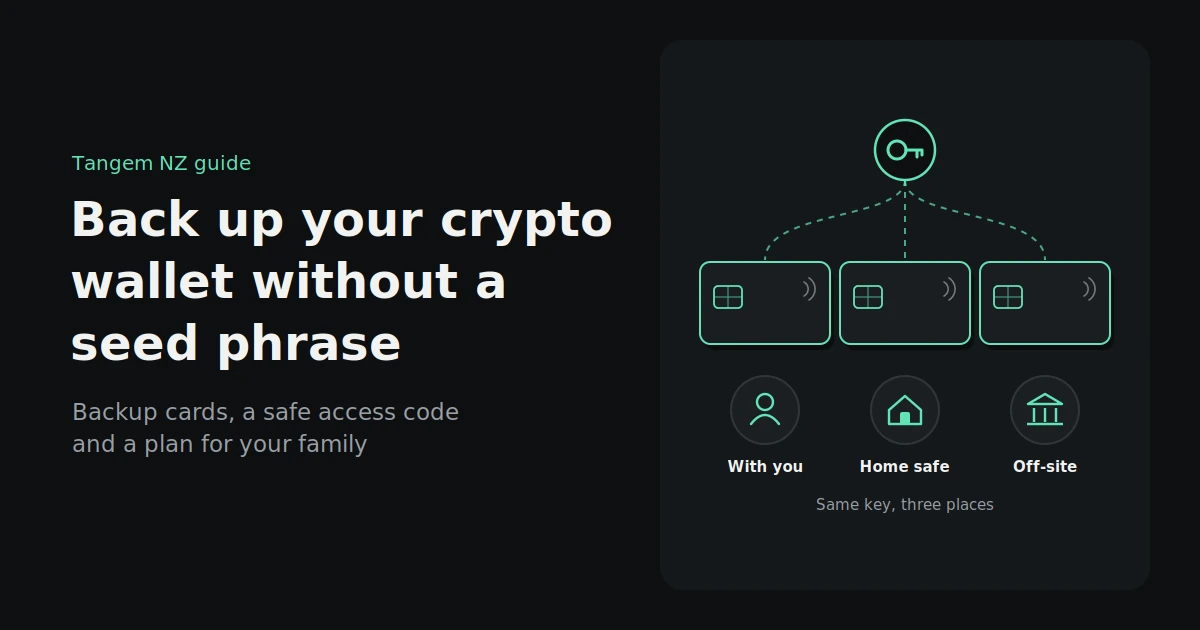
Keep your cards in separate places, so no single event can take them all: one you use day to day, one at home, and one somewhere else entirely. In New Zealand, where earthquakes, floods and house fires are real risks, putting distance between your cards is one of the best things you can do.
A practical three-card setup might look like this:
| Card | Where it lives | Why |
|---|---|---|
| Card 1, or your ring | With you, or somewhere you can easily reach | For everyday use and sending transactions |
| Card 2 | At home, in a safe or fire-resistant box | A backup you can reach quickly |
| Card 3 | Off-site: with trusted family in another town, or in a safe deposit box | Survives a disaster that affects your home |
What to avoid:
- All cards in one place, such as the same drawer, wallet or bag. If that place is lost, they all go together.
- The access code stored with a card. Keep them apart so a thief can’t get both.
- Unlabelled cards. Label the sleeve or envelope discreetly, for example “Backup 2”, so you and your family know what it is. Don’t write “crypto wallet” on it in large letters.
- Extreme heat or damp. Avoid hot cars and wet basements.
Should you add a seed phrase as well?
Tangem also lets you create a wallet with a seed phrase, or import an existing one. That gives you a second, portable recovery route that works with other compatible wallets. The trade-off is that you’re back to protecting words that anyone could steal if they saw them.
A seed phrase on top of cards might suit you if:
- You want to be able to recover in other wallet apps, not just Tangem
- You’re experienced at storing a phrase offline, such as on a metal backup plate
- You hold a large amount and want an extra, independent route back in
Stay seedless if:
- The point of choosing Tangem was to avoid managing a seed phrase
- You’re worried about phishing or someone finding the words
- You’re confident in storing two or three cards safely
The choice is made when you set up the wallet. Switching later usually means creating a new wallet and moving your funds.
Planning for your family
If something happens to you, your family needs to know the wallet exists, where the cards are and how to get the access code. Without that, a perfect backup can still be useless. A short, carefully stored instruction note solves it.
What to include in the note:
- That you hold crypto in a Tangem wallet
- Where each card is kept
- Where the access code is stored, but not the code itself
- That they’ll need the free Tangem app on a phone
- Someone they can ask for help, such as a trusted, tech-savvy relative
What to leave out:
- The access code itself, unless the note is held somewhere very secure, such as with your lawyer
- A seed phrase, if you have one
Store the note with your will or important papers, separately from the cards and the code. It’s also worth telling your lawyer or executor that digital assets form part of your estate. An NZ estate lawyer can advise on the best way to document them for your situation.
Check your backup once a year
A backup you never check is a backup you hope works. Once a year, scan each card to confirm it still opens your wallet, check that every card is still where you think it is, and update your family note if anything has changed.
A ten-minute annual routine:
- Scan each card in the Tangem app and confirm it shows the same wallet.
- Check each storage location to make sure cards are still there and in good condition.
- Confirm you can access your code in your password manager or sealed note.
- Update your family note if you’ve moved house, changed storage places or added assets.
- Review your app and make sure it’s the official, up-to-date version.
A good reminder: do it at the same time every year, such as when you file your tax return or at the start of the new year.
FAQs
Can you have a crypto wallet without a seed phrase?
Yes. Seedless wallets replace the seed phrase with another backup, such as extra hardware cards, a key share stored with a provider, a passkey or trusted contacts. Tangem, for example, copies your key to two or three cards during setup.
How do I back up my Tangem wallet?
During setup, scan each card or ring in your set when the app asks you to add backup devices. Set your access code, then test each card on its own to confirm it opens the wallet. Store the cards in separate places.
Can I add another backup card later?
No. Tangem backup devices can only be added when the wallet is first created. To add more, you’d set up a new wallet with all the devices you want, then transfer your funds to it.
Where should I keep my Tangem backup cards?
In separate places, so one event can’t take them all. For example, keep one card with you, one in a safe at home and one off-site with trusted family or in a safe deposit box. Keep your access code apart from the cards.
Is a seedless backup safer than a seed phrase?
It’s safer against phishing and stolen words, because there’s no phrase to steal. A seed phrase is more portable across wallet brands. Which is safer for you depends on which risk you’re better at managing.
What happens to my crypto if I die?
Your crypto stays on the blockchain. Anyone who has one of your Tangem cards or your ring and knows the access code, or who has your seed phrase, can reach it. So your family needs to know which wallet you use, where each device is kept, and how to find the access code. Store those instructions separately from the code, and mention them in your will.
Set up your backup the right way
Backing up without a seed phrase is simpler than most people expect: a few cards, a strong access code, separate storage and a note for your family. Done properly once, it gives you a backup that’s easy to understand and hard to steal.
Buy genuine Tangem wallets from Tangem NZ, an authorised New Zealand seller, including three-device sets, with NZD pricing including GST. Want help setting up your backup? Our New Zealand team is happy to walk you through it, and we’ll never ask for your access code.