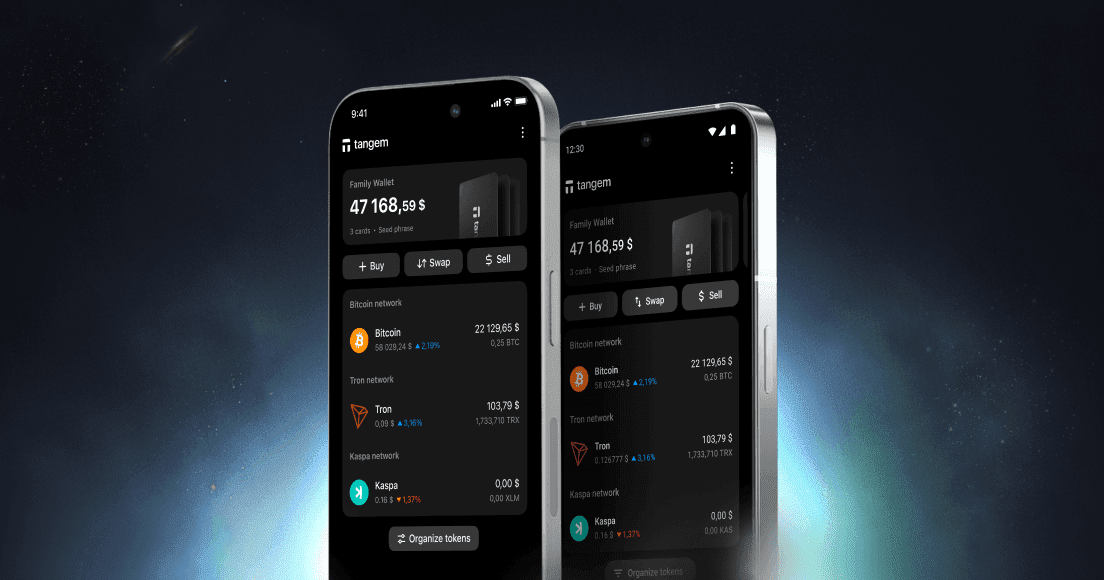
If you haven’t opened the Tangem app in a few months, the next time you do it will look different. Between July and September 2026 Tangem shipped four main releases (6.0, 6.1, 6.2 and 6.3.1) that redesigned the main screens, added bitcoin swaps, introduced a cashback programme on Tangem Pay, and put a portfolio view in the Markets tab. This post walks through what changed and which parts are worth your attention if you’re using a Tangem card or ring in New Zealand.
One thing to say up front: none of this touches your cards. Tangem’s firmware can’t be updated after manufacture, by design. Everything below is app-side, and your keys stay on the card or ring exactly as before.
Current version: 6.3.1 on iOS and Android (16 September 2026). Update through the App Store or Google Play only.
The redesign in 6.0
Version 6.0 landed on 17 July 2026 and reworked the main screen, the token screen, Markets, Add Funds and the Tangem Pay card screen. If you’ve been on the app since 5.x, the first thing you’ll notice is that the balance and token list breathe a bit more, and the actions you use most are closer to your thumb.
The bigger change under the surface was swaps. Bitcoin can now be swapped through decentralised exchange providers (LiFi and SwapKit) rather than only through centralised ones, there’s a single approve-and-swap action instead of two steps, and the app flags the best DEX rate it found. On Android you can also type the amount in your local currency, which means NZD, and let the app work out the token amount.
Two smaller things from 6.0 that matter in practice. Tokens are now added to your list automatically when you open a push notification about them, which saves the “where did that deposit go?” moment. And ERC-20 tokens on Hedera are supported.
6.1 added an Address Book
Released 5 August 2026. The headline for most people is the Address Book: you can save addresses with a name and pick them from a list when you send. If you regularly move funds to the same exchange deposit address or to a family member’s wallet, this removes the copy-and-paste step, and with it the clipboard-swapping malware risk we describe in our guide to sending bitcoin from Tangem. Still check the first and last characters the first time you save an address.
6.1 also introduced the Tangem Pay membership tiers (Basic is free, Plus is US$29.99 a month, Prestige is coming later) and US bank details for funding a Tangem Pay account by ACH or FedWire. The bank-detail part is for US account holders and won’t apply to most readers here.
6.2 brought ATM withdrawals and more swap pairs
Released 27 August 2026. Swaps were extended to TRC-20 tokens (USDT on Tron, for example) and to Bitcoin Cash, Dash and Litecoin, all through DEX providers. Two new networks were added, Igra and Robinhood Chain.
For Tangem Pay users, 6.2 enabled cash withdrawals at contactless ATMs. The limits are US$250 per withdrawal and three withdrawals in any 24 hours, with a fee of 4% on Basic and 2% on Plus. Plus members also stopped paying the on-ramp fee when buying crypto in the app.
6.3 is the big one
Version 6.3.1 shipped on 16 September 2026 and bundled several features Tangem had been previewing for months.
For You: a portfolio view in Markets
Swipe up the Markets sheet and there’s now a For You section. It adds up everything across all your wallets, accounts and networks into one figure in your chosen currency, merges the same token held on different chains (USDT on three networks shows as one balance), and shows your top ten holdings as a composition chart. You can filter to a single wallet if you have several.
Each token gets a panel of five market indicators: LunarCrush Galaxy Score, social sentiment, RSI over 14 periods, MACD, and a moving-average cross, each with a positive, neutral or negative label on daily, weekly and monthly timeframes. The data comes from third parties and Tangem is clear that it isn’t advice.
There’s also an idle-assets view. If you hold a token that supports staking or Yield Mode and you haven’t switched either on, For You estimates what the unallocated portion could earn at current rates and lets you tap through to activate it. The estimate only covers the part that isn’t already staked.
What For You is not: a profit-and-loss tracker. It shows composition, not performance. Tangem says a full profit-and-loss feature is in development. If you need cost-basis records for IRD, you still need a separate tool or spreadsheet, which we cover in our crypto tax guide for New Zealand.
Cashback on Tangem Pay
Tangem Pay purchases of US$30 or more now earn 1% back on Basic (capped at US$100 a month) and 2% on Plus (capped at US$300 a month), paid in USDC into your Tangem Pay account at the end of each billing cycle. In-store purchases at EU and UK merchants are excluded, and some merchant categories don’t qualify. We’ve written this up in detail in our Tangem Pay cashback explainer, including the tax question.
Easier Tangem Pay top-ups
You can now fund Tangem Pay with any stablecoin held in your Tangem wallet, and with USDT or USDC sent from an external wallet on Base, Arbitrum, BNB Smart Chain or Polygon. TRON was scheduled for mid-September and Solana is on the roadmap. Add Funds and Withdraw also got smart routing and a simpler one-direction flow, so the app picks the sensible path instead of asking you.
New networks: Arc and Electroneum
Arc is Circle’s new layer-1 where USDC is the gas token, and it went live the same day as 6.3.1. You can send and receive stablecoins on Arc now, with swaps to follow. We’ve covered what Arc means for USDC holders separately. Electroneum (ETN) was added at the same time, and XRPL transaction history now appears on the token screen.
Cloud backup, for the mobile wallet only
6.3 also introduced encrypted cloud backup to iCloud or Google Drive. This is worth being precise about: it applies to the Tangem Mobile Wallet, the software wallet you can create in the app without a card. It does not apply to your hardware cards or ring. Their backup is, and remains, the other cards in your set. If you only use Tangem hardware, you can ignore this feature entirely. Our cloud backup explainer goes through how it works and what it doesn’t cover.
What matters most for New Zealand users
Here is how we’d rank the changes for someone holding a Tangem card or ring here.
- The Address Book is the feature we’d point every customer to. Sending to a mistyped or swapped address is one of the few mistakes you can’t undo in crypto, and a saved, named address takes most of that risk away.
- In-app swaps are now broad enough that for small amounts you may not need an exchange at all. For larger amounts, compare the rate shown against what your NZ exchange would charge after withdrawal fees. Note that every swap is a disposal for tax purposes.
- For You is useful as a quick overview, less so as a decision tool. Treat the indicators as what they are: third-party signals, not a forecast.
- Tangem Pay features only matter if Tangem Pay is available to you. Availability depends on your country of residence and is confirmed when you start the sign-up in the app. We can’t confirm it on Tangem’s behalf; if the app shows it for you, it’s available, and if you’re unsure, pay@tangem.com is the contact.
- Cloud backup changes nothing for hardware users. If a customer asks us whether they should “back up their card to iCloud”, the answer is that there is nothing to back up; the second and third cards are the backup.
How to update safely
Update only through the App Store or Google Play, and check the developer is Tangem AG before you tap. Never install the app from a link in an email, a message or an ad, however official it looks. After updating, tap your card once to confirm the app still reads it (it should, but it’s a good habit) and check your balances are what you expect. If anything prompts you for a seed phrase during an update, stop: a routine update never asks for one. More on this in our guide to avoiding fake apps and wallet scams.
FAQs
If you’re starting fresh, Tangem NZ is an authorised New Zealand seller with stock in Auckland and NZ$ pricing including GST. The 2-card set is NZ$109.99 and the three-card colourways such as Classic Black are NZ$139.99. If a feature in the new app isn’t behaving the way this post describes, email us before you change any settings and we’ll look at it with you.