In January 2019, hackers stole around NZ$30 million in crypto from Cryptopia, an exchange based in Christchurch. By May, the company was in liquidation. Its customers’ coins were frozen, and the process of sorting out who owned what was still before the courts years later.
Those customers had trusted an exchange to hold their crypto for them. That’s the default for most people, and it raises the question this guide answers: what is self-custody in crypto, and should you, as a New Zealand investor, be doing it?
Below is how self-custody works, what it protects you from, the new risks it brings, and how to move your crypto off an NZ exchange safely.
The short answer
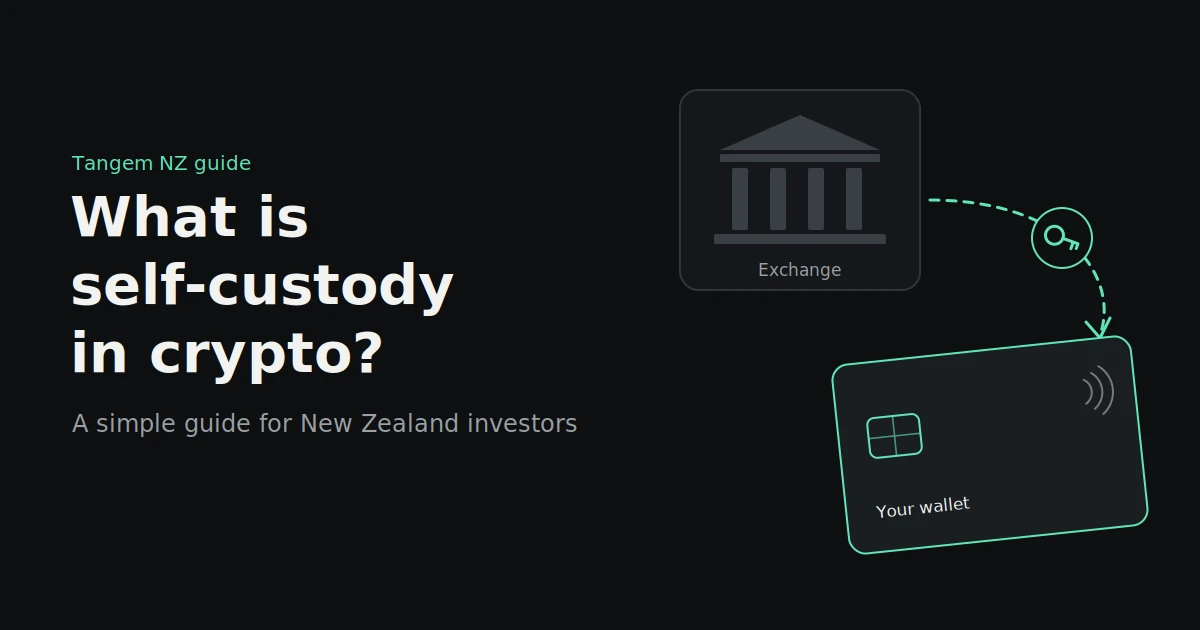
Self-custody means you hold the private keys to your crypto yourself, instead of leaving them with an exchange. You control access to your funds, and no company can freeze, lose or lend them out. In exchange, keeping those keys safe becomes your job.
You’ll often hear it summed up as “not your keys, not your coins.” If an exchange holds the keys, you’re trusting that exchange to give your crypto back when you ask. If you hold them, nobody else needs to be trusted, but nobody else can rescue you either.
How self-custody works
Your crypto never actually sits in a wallet. It lives on a blockchain, a public ledger. What you hold is a private key: a secret code that proves you own those funds and lets you move them. Self-custody simply means you, not a company, hold that key.
Private keys in plain English
A blockchain address works like a glass post office box. Anyone can see what’s inside and send things to it. Only the person with the key can open it and take things out.
That key is a very long number. Whoever has it can move the funds, and there’s no bank to reverse a transaction or reset a password.
What a wallet actually holds
A crypto wallet is the tool that stores your private keys and uses them to sign transactions. This is the most common misunderstanding for beginners: the wallet holds keys, not coins.
That’s good news. If you lose a wallet device but still have a backup of your keys, your crypto isn’t gone. You restore access from the backup.
Seed phrases vs seedless backups
There are two main ways to back up a self-custody wallet:
- A seed phrase. Most wallets give you 12 or 24 words when you set them up. Those words can recreate your keys on any compatible wallet. Anyone who sees them can take your funds, so they must be stored offline and never typed into a website.
- A seedless backup. Some hardware wallets, including Tangem, can create keys on a secure chip that are never shown to you. Instead of writing down words, you back up the key to two or three physical cards or a ring during setup. Any one of them can open the wallet.
Neither is automatically better. A seed phrase is flexible and works across many wallet brands. A seedless backup removes the risk of someone photographing or finding your words, but it ties your backup to the physical devices.
Custodial versus self-custody
With a custodial setup, an exchange holds the keys and you hold an account. With self-custody, you hold the keys and nobody holds an account for you. The trade-off is convenience and a safety net against forgetting your password, versus independence from the exchange.
| Custodial (exchange) | Self-custody (your own wallet) | |
|---|---|---|
| Who holds the private keys | The exchange | You |
| If the exchange is hacked or fails | Your funds may be frozen or lost | Your funds aren’t affected |
| Account freezes or withdrawal limits | Possible | Not possible; no one else controls access |
| Forgot your password | Reset it with the exchange | No reset; you rely on your backup |
| Ease of use | Simple, familiar login | A short learning curve |
| Buying and selling | Built in | Usually done through an exchange or app |
| Best for | Active trading, small balances | Long-term holdings you’d hate to lose |
Notice the row about passwords. That’s the catch. An exchange can let you back into your account. In self-custody, if you lose your keys and every backup, no one can help.
Why NZ investors think about self-custody
New Zealanders have seen what happens when an exchange fails, both at home and offshore. Self-custody removes the exchange from the equation for the crypto you hold. It’s not about distrusting every exchange; it’s about not depending on one for your long-term savings.
The Cryptopia lesson
Cryptopia was a Christchurch-based exchange with customers around the world. After the January 2019 hack, it went into liquidation in May that year.
In 2020, the High Court ruled that crypto is property and that Cryptopia had held customers’ coins on trust for them. That was a landmark decision and good news for customers in principle. In practice, they still had to wait for liquidators to reconcile hundreds of thousands of accounts, and parts of the process were still before the courts in 2024.
The takeaway: even when the law is on your side, an exchange failure can lock your crypto up for years.
Offshore collapses reach New Zealand too
When FTX collapsed in November 2022, customers worldwide, including some New Zealanders, lost access overnight. Repayments through the US bankruptcy process only began in 2025. Using an overseas exchange can mean dealing with a foreign insolvency process if things go wrong.
Freezes and withdrawal limits
Exchanges can also pause withdrawals for reasons that have nothing to do with failure, such as system outages, security reviews or compliance checks. Most are short and legitimate. But they tend to happen at the worst time, such as during a sharp market move.
The risks you take on with self-custody
Self-custody doesn’t remove risk. It moves it from the exchange to you. The main risks are losing your backup, falling for a scam, making a sending mistake and leaving no plan for your family. All four are manageable, but only if you plan for them before you move your funds.
- Losing your backup. If you lose your wallet and every backup, your crypto is unrecoverable. Keep at least two backups in separate places, such as at home and with a trusted family member.
- Scams and fake wallets. Scammers set up fake wallet apps, fake support accounts and phishing sites that ask for your seed phrase. Real support never needs your seed phrase or access code. Only download wallet apps from official stores and links.
- Sending mistakes. Crypto sent to the wrong address, or on the wrong network, usually can’t be recovered. Double-check addresses and send a small test amount first.
- No inheritance plan. If something happens to you, can your family access your crypto? Without a plan, the answer may be no. Leave clear instructions, stored safely, on where your backups are and how to use them.
Types of self-custody wallets
Self-custody wallets fall into two broad groups. Hot wallets keep keys on an internet-connected phone or computer. Hardware wallets keep keys on a separate device that stays offline and signs transactions without exposing the key. For larger, long-term holdings, a hardware wallet is the usual choice.
| Wallet type | How it works | Pros | Cons |
|---|---|---|---|
| Hot wallet (phone or browser app) | Keys stored on your phone or computer | Free, quick to set up, handy for small amounts | Exposed to malware and phishing on an online device |
| USB or Bluetooth hardware wallet | Keys on a small device with a screen and buttons, e.g. Ledger or Trezor | Keys stay offline; widely supported | Needs a cable or pairing; usually relies on a seed phrase |
| NFC card or ring wallet | Keys on a chip you tap against your phone, e.g. Tangem | No battery or cables; seedless backup cards available | No screen on the device itself; you check transactions in the app |
| Multisig setup | Several keys required to approve a transaction | No single point of failure | More complex; best for advanced users or large holdings |
Whichever you choose, buy hardware wallets new and sealed from the manufacturer or an authorised seller. Never use a device that arrives already set up, or one that comes with a pre-printed seed phrase.
Is self-custody right for you?
Self-custody suits crypto you plan to hold for months or years, especially amounts you’d be upset to lose. It’s less useful for money you trade often or small balances. Many investors use both: an exchange for trading and self-custody for savings.
- You’re a long-term holder. If you buy and hold, self-custody makes sense. You don’t need daily access, and you remove the exchange risk for the bulk of your holdings.
- You trade often. Keeping trading funds on an exchange is more practical, since moving them back and forth costs network fees and time. Keep only what you’re actively trading there.
- You hold a small amount. If your balance is small, the cost of a hardware wallet may not make sense yet. A reputable NZ exchange or a hot wallet may be reasonable while you learn.
Our take: treat it like a wallet and a savings account. Your exchange account is the wallet you carry for spending and trading. Self-custody is where the savings go. Decide on an amount you’d move off the exchange, set up your self-custody wallet properly, and only then move it.
How to move crypto from a NZ exchange into self-custody
Set up and back up your wallet first, then send a small test amount, check it arrived, and move the rest. Taking it slowly costs one extra network fee and protects you from the most common mistakes. The process, step by step:
- Set up your wallet. Install the wallet app from the official app store, set up your device and choose a strong access code or PIN.
- Create your backup before anything else. Write down your seed phrase offline, or complete the backup to your extra cards if you’re using a seedless wallet. Store backups in separate safe places.
- Copy your receiving address from the wallet app. Select the right coin and network. For example, USDT can travel on several networks, and your exchange and wallet must use the same one.
- Send a small test amount. Withdraw a small amount from your exchange to that address. Your exchange may ask you to confirm the withdrawal by email or two-factor authentication.
- Confirm it arrived. Check the balance in your wallet app before sending more.
- Withdraw the rest. Paste the address again rather than typing it, and check the first and last few characters match.
- Record the transfer. Save the date, amount, transaction ID and fees. You’ll want them for your tax records.
Tax and record-keeping in NZ
Moving crypto into self-custody doesn’t change your tax position. Inland Revenue treats crypto-assets as property, and the usual tax rules apply wherever you hold them. What changes is that your exchange no longer keeps a full history for you, so good records become your job.
A few practical points:
- Moving crypto between your own wallets isn’t a sale. You still own the same asset, so a transfer from your exchange to your own wallet generally isn’t a taxable disposal in itself. Network fees paid in crypto can be more complicated, so ask an adviser if you move funds often.
- Selling, swapping or spending is different. These can create taxable income if you’re taxed on your crypto gains, depending on why you acquired it and how often you trade.
- Keep your own records. For every transfer, note the date, amount, coin, network, transaction ID, fees and the addresses involved. Download your exchange history before you move funds, too.
Crypto tax in New Zealand depends on your circumstances. Check Inland Revenue’s crypto-asset guidance, and talk to an accountant or tax adviser if you’re unsure.
FAQs
Is self-custody safer than keeping crypto on an exchange?
It removes exchange risks, such as hacks, insolvency and withdrawal freezes, but adds personal ones, such as losing your backup or falling for a scam. Set up properly, with secure backups, many investors consider it the safer option for long-term holdings.
What happens if I lose my hardware wallet?
Your crypto stays on the blockchain. You can restore access using your backup, either your seed phrase or, for seedless wallets like Tangem, one of your backup cards. If you lose the wallet and every backup, the funds can’t be recovered.
Do I need a seed phrase for self-custody?
Not always. Most wallets use a seed phrase, but some hardware wallets, including Tangem, offer a seedless option that backs up your key to extra cards or a ring instead.
Is self-custody legal in New Zealand?
Yes. Holding your own crypto in a private wallet is legal in New Zealand. Exchanges and other providers have their own obligations, such as identity checks, but there’s no rule against keeping crypto in your own wallet.
Do I pay tax when I move crypto to my own wallet?
Generally no, because moving crypto between wallets you own isn’t a sale. Selling, swapping or spending it can be taxable depending on your circumstances. Keep records of every transfer and check Inland Revenue’s guidance.
How much crypto should I keep in self-custody?
There’s no set amount, and it depends on your situation. A common approach is to keep long-term holdings in self-custody and only the amount you actively trade on an exchange.
Take custody with local support
Self-custody is simple once it’s set up properly: a wallet you trust, backups stored safely and a small test transfer before the big one.
If you’re ready to take control of your crypto, explore Tangem hardware wallets at Tangem NZ. Our card and ring sets come with backup cards, NZD pricing including GST, and support from a New Zealand team if you have questions along the way.