Tangem app 6.3 added Tangem cloud backup. Since then a fair few customers have asked us whether they should “back up their card to iCloud”. The short answer is no, and you can’t. Cloud backup is for the Tangem Mobile Wallet, the software wallet that lives in the app on your phone. It has nothing to do with Tangem cards or the Tangem Ring.
That distinction matters more than anything else in this post, so we’ll start there and then go through how the feature works, what protects the backup, and where it falls short.
Our recommendation up front: we don’t recommend cloud backup for any wallet holding a large amount of crypto. For savings, use a hardware wallet, and keep its seed phrase written down and locked away somewhere secure as the backup. Cloud backup is fine for spending money on your phone. It is not where we would keep anything we couldn’t afford to lose.
Two kinds of Tangem wallet, two kinds of backup
The Tangem app can hold two quite different things.
A hardware wallet is a Tangem card, or the ring plus its cards. The private key is generated inside the secure element on the card and never leaves it. Your phone only sends a transaction to the card and gets a signature back. The backup for a hardware wallet is the other cards in your set: when you set up a two- or three-device set, each one carries the same key, so losing one card doesn’t lose you the wallet. A seed phrase is optional.
A mobile wallet is a software wallet created in the app itself, with no card involved. The keys live on your phone. That is handy for small, everyday amounts, but it means that if the phone is lost, wiped or replaced, the wallet goes with it unless you have a backup. Until 6.3, that backup was a seed phrase. Cloud backup is a second option for this kind of wallet only.
| Tangem hardware wallet (cards or ring) | Tangem Mobile Wallet | |
|---|---|---|
| Where the key lives | Inside the chip on each card or ring | On your phone |
| Main backup | The other cards or ring in your set | Cloud backup or seed phrase (or both) |
| Uses iCloud or Google Drive | No | Optional, from app 6.3 |
| Seed phrase | Optional | Optional if cloud backup is on, but recommended as a fallback |
If you only use Tangem cards or a ring, you can stop reading here if you like. Nothing about your setup has changed, and nothing about your card’s key goes anywhere near the cloud. Our post on how Tangem card backup works without a seed phrase covers the hardware side properly.
How Tangem cloud backup works
It is available to mobile wallet users on both iOS and Android. Setup takes three steps.
- Pick cloud backup. When you create a mobile wallet, choose iCloud backup on an iPhone or Google Drive backup on Android. You can also turn it on later from the wallet settings.
- Create an encryption password. This password encrypts your wallet data before it leaves the phone. Make it long and mix letters, numbers, capitals and symbols.
- Let the app encrypt and upload. The wallet data is encrypted on your phone with that password, and only the encrypted file is uploaded to your own iCloud or Google Drive account.
Restoring on a new phone
Install the Tangem app on the new or reset phone and sign in to the same Apple or Google account. If a cloud backup exists, the restore option appears on its own. Enter your encryption password and the wallet comes back.
You can also restore from inside the app: go to Add Wallet in settings and choose to restore from cloud backup. If there is more than one backup in the account, for example because you deleted a wallet and made a new one, the app lists them and you pick the right one.
What protects the backup
There are two separate locks, and an attacker needs to get through both.
The first is your encryption password. The file sitting in iCloud or Google Drive is encrypted before it is uploaded, so anyone who gets into your cloud account finds a file they can’t read. Tangem describes the design as zero-knowledge: it never receives your password, never receives your unencrypted wallet data, and has no master key or admin override to open the backup.
The second is your cloud account itself. To get the encrypted file at all, someone needs your Apple ID or Google login, and if you have two-factor authentication turned on, your second factor as well. If you haven’t turned on two-factor authentication for that account, do it before you rely on this feature.
The password can’t be recovered
This is the part people skim past, and it is the part that bites. There is no password reset. Tangem doesn’t store your encryption password and Tangem support can’t recover it. We can’t either. If you forget it, the cloud backup is useless to you, and the only way back into the wallet is the seed phrase.
So write the password down and store it somewhere separate from your phone. A password manager is fine as long as you can still get into the password manager if the phone is gone.
Switching between iPhone and Android
Cloud backup only restores on the same platform. An iCloud backup restores on iOS, a Google Drive backup restores on Android. If you move from an iPhone to an Android phone, or the other way, the cloud backup won’t carry the wallet across. You need the seed phrase for that.
Between this and the password point, Tangem’s own advice is to keep both methods switched on. You can run cloud backup and a seed phrase backup at the same time. Cloud backup is the everyday way to restore; the seed phrase is the fallback for a forgotten password, a locked cloud account or a change of platform.
Cloud backup or seed phrase
They protect against different things. A seed phrase is only as safe as the place you keep it. Anyone who sees or photographs those words has the wallet, with no second factor. But it can’t be taken remotely if it is on paper in a drawer.
A cloud backup with a strong password and two-factor authentication on the account holds up well against someone breaking into your house, because there is nothing to find. It depends instead on your account security and on you remembering the password. Neither is better in every case, which is why using both makes sense for most mobile wallet users. We compared the wider trade-offs in seed phrase vs seedless wallets.
Turning it off
You can delete the cloud backup at any time from the backup settings screen in the app. That removes the encrypted file from your iCloud or Google Drive. Make sure you have a seed phrase for that wallet written down before you do, or you will have no backup at all.
Our recommendation for larger amounts
We don’t recommend cloud backup if you are keeping any large amount of crypto. However good the encryption is, the backup still sits in an online account, protected by a password and your Apple or Google login. A phished account, a reused password or a compromised phone puts that backup within someone else’s reach. For small everyday amounts that is an acceptable trade for convenience. For savings it isn’t.
For anything you would be upset to lose, we always recommend two things:
- A hardware wallet. On a Tangem card or ring the private key is created inside the chip and never exists on your phone or in anyone’s cloud.
- A seed phrase, written on paper or metal and locked away in a secure location, such as a home safe or a bank safe deposit box, kept apart from your cards. Never photograph it, type it into a phone or store it in a notes app, email or cloud drive.
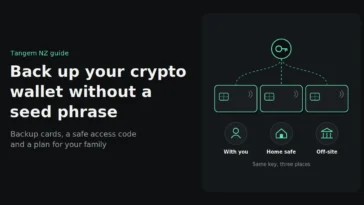
Tangem cards also back each other up: in a two- or three-device set every card carries the same key, so keep one card at home and another somewhere else. Together with an offline seed phrase, that gives you a backup that doesn’t depend on any phone, app or online account. When you set up a new set, choose the option to create a seed phrase so you have it. See how Tangem backup cards work and how to recover a seedless wallet for the details.
Our setup in short: cloud backup plus a seed phrase for a small spending wallet on your phone, and a hardware wallet with its seed phrase locked away for everything else. The Tangem 2-card set is NZ$109.99 and the 3-card colourways are NZ$139.99, both incl. GST.
Buy genuine Tangem wallets from Tangem NZ, an authorised New Zealand seller shipping from Auckland, with NZ$ prices including GST. If you’re not sure whether a backup question applies to your card or your mobile wallet, send us a message and we’ll sort it out. We will never ask for your seed phrase, access code or backup password.