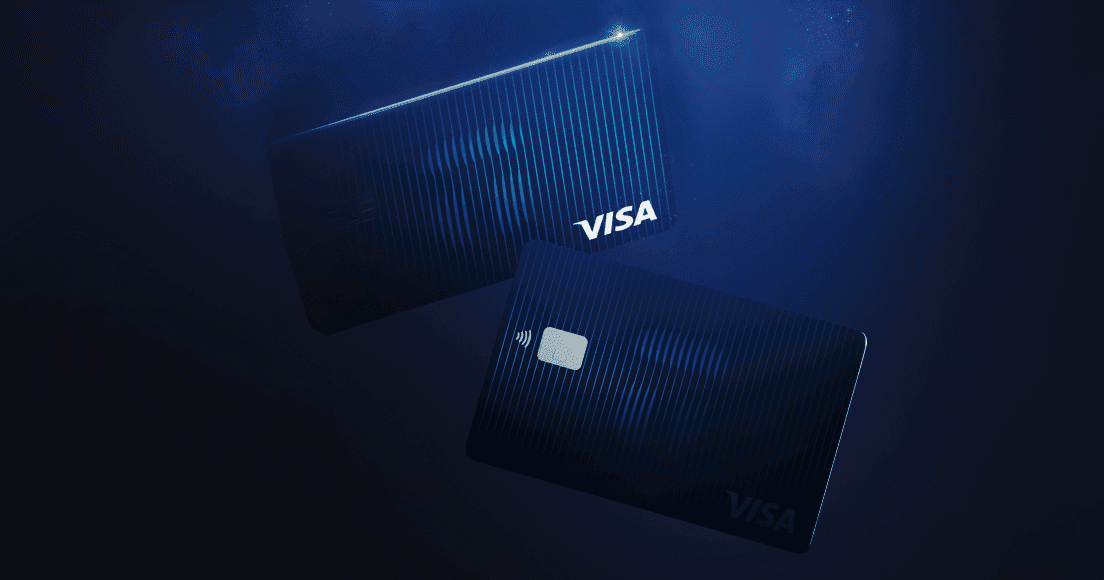
Until now Tangem Pay has been a virtual card only. You could add it to Apple Pay or Google Pay and tap your phone, but if a shop didn’t take phone payments, you were stuck. On 9 October 2026 Tangem announced the physical Tangem Pay card: a plastic Visa card you order from inside the app, activate yourself, and use anywhere Visa is accepted, including ATMs.
This post covers how ordering works, what it costs, how activation and the PIN work, and what to do when the app throws an error. It also covers the question we hear first from customers here: can you get one in New Zealand? The honest answer is that it depends on Tangem’s eligibility check, and we explain how to run it below.
A quick reminder of what Tangem Pay is. It’s a Visa card program offered inside the Tangem app and issued by Rain, a Visa Principal Member. You load it with stablecoins and spend that balance. Your main holdings stay in your self-custody Tangem wallet, and only what you move onto Tangem Pay can be spent with the card. Our earlier post on the Tangem Pay virtual Visa card has the background.
What you need before ordering
- App version: 6.3.2 or later on iOS, 6.3.3 or later on Android. Update from the App Store or Google Play.
- A verified Tangem Pay account on the Basic or Plus plan. Plastic cards can only be ordered on those two tiers.
- A free card slot. Basic allows 3 cards and Plus allows 5, counting virtual and plastic together. A Basic user who already has three virtual cards has to close one first.
- Enough balance to cover delivery, because the fee comes out of your Tangem Pay balance at the moment you order.
The card itself
The first batch is a limited edition with a single design for both plans: a white card with a silver Visa logo. What differs is the Visa tier behind it. Basic cards are Visa Platinum and Plus cards are Visa Signature. In the app and in Apple Pay, Basic shows in blue and Plus in grey.
You can add the physical card to Apple Pay or Google Pay the same way you add a virtual one, so you don’t have to choose between tapping your phone and carrying plastic.
How to order a Tangem Pay physical card
- Open your Payment account on the main screen, tap +, and flip the Virtual / Plastic switch to Plastic.
- Check the delivery summary. It shows the country (taken from your identity verification), the delivery fee and the expected delivery time in business days.
- Tap Select and fill in the delivery form. Country and email come from your verification and can’t be edited. The name on the card is copied from your current card and can be changed. The recipient’s first and last name can differ from your verified name. Region, city, address line 1, postcode and phone are required, and address line 2 is optional.
- Fix anything flagged under a field. The Order card button stays inactive until the form is clean.
- Tap Order card. You’ll see “Card successfully ordered” with the expected delivery time. The card then shows as on its way, with an Activate card button waiting for when it arrives.
The fee shows in your transaction history as “Card order fee”.
Use Latin characters only
Names and addresses must use plain Latin letters, digits, spaces and a short list of symbols: full stop, comma, #, apostrophe, slash, ampersand and brackets. Letters with diacritics such as é or ü are rejected, and so is any non-Latin script. A single accented letter is enough to trigger the address error.
For New Zealand addresses, that includes macrons in te reo Māori street and suburb names. Type them without the macron.
Delivery, fees and tracking
Cards are only delivered to the country of residence on your verified identity. The street, city and region can differ from your verified address, so a work address is fine, but a different country isn’t.
Tangem doesn’t publish a single delivery fee. It depends on the country, and you see the exact amount and delivery time before you confirm. How it’s charged depends on your plan:
- On Basic, every plastic card carries your country’s delivery fee.
- On Plus, the first plastic card is delivered free, once. Later cards and replacements are charged. Dropping to Basic and coming back to Plus doesn’t reset the free delivery. Eligible accounts see a “First delivery free” label.
Orders can’t be cancelled and the delivery fee isn’t refundable, either in the app or through support. Check the address carefully before you tap Order card.
There’s no tracking inside the app. Instead, a tracking email goes to your verified email address within 3 business days of ordering. Check your spam folder if it hasn’t arrived.
Activating the card and setting a PIN
Cards arrive inactive. Open the card in the app, tap Activate card, type the last four digits printed on the card and tap Continue. There’s no limit on attempts, so a typo just means trying again. Activation usually takes up to five minutes, and in rare cases up to 48 hours.
There is no PIN in the envelope, and Tangem doesn’t send one. Once the card is active you’ll see Details, Freeze and PIN-code buttons. Tap PIN-code and set your own before you need the card at an ATM or at a terminal that asks for one.
ATM withdrawals
Cash withdrawals arrived in app 6.2, at contactless ATMs only. With a plastic card in hand you can also use the card at ATMs that want the card itself. Tangem’s fee is 4% per withdrawal on Basic and 2% on Plus, taken from your USDC balance. Limits are US$250 per withdrawal and three withdrawals in any 24 hours. The ATM operator may add its own charge, so read the screen before you confirm.
Lost or damaged cards
Tap the three-dot menu on the card, choose Replace, review the country, fee and delivery time, then fill in the form. The address fields start empty, and you’ll see first and last name fields rather than the name-on-card field.
Replacements are always charged at your country’s delivery fee, on every plan including Plus. Only an active plastic card can be replaced, and the replacement doesn’t use up an extra card slot. The old card is closed as soon as the new order is accepted, although if the order fails the old card stays live. You activate the new one with its own last four digits.
If the card is lost rather than damaged, freeze it in the app straight away, then order the replacement.
Common error messages
| What the app says | What it means | What to do |
|---|---|---|
| Check the delivery address and try again. | Non-Latin or accented characters, or the address failed a check | Retype using plain Latin letters only |
| Check the name on the card and try again. | Unsupported characters, or the name is too long | Shorten or simplify the name |
| Not enough money for delivery. | Balance is below the delivery fee | Add funds and order again |
| A card order is already in progress. | An earlier order hasn’t finished | Wait for it to complete |
| This card can’t be replaced. | The card is virtual, closed, not activated, or already being replaced | Check the card’s status in the app |
| Invalid last digits. | Wrong digits typed at activation | Re-enter the last four digits from the card |
| This card isn’t ready to activate yet. | The card isn’t ready for activation | Wait until you’ve received it |
| Activation is already in progress. | Activation is underway | Wait, up to 48 hours in rare cases |
| This card is no longer available. | Plastic or replacement is no longer offered, for example delivery stopped | Contact Tangem support |
| Something went wrong | Unexpected error | Contact Tangem support |
Availability in New Zealand
We can’t give you a yes or no, and we’d be wary of anyone who does without checking. Tangem describes Tangem Pay as available in select countries in the USA, Latin America, Asia-Pacific, the Middle East and Africa, and it doesn’t publish a full country list. Eligibility is decided by your country of residence during onboarding in the app.
Physical cards add a second layer. Even where Tangem Pay itself is open, plastic delivery may not be. If the Plastic tab shows an Unavailable label, plastic cards don’t ship to your verified country yet, but your virtual cards can still be activated and used.
The practical way to find out:
- Update the Tangem app and start Tangem Pay onboarding. The country of residence step tells you whether you can sign up.
- If you’re already verified, tap + on your Payment account and look at the Plastic tab.
- If you’re still unsure, email Tangem at pay@tangem.com. They run the program; we sell the hardware wallets.
Two notes if you do get one. Fees and limits are set in US dollars, so what they come to in NZD moves with the exchange rate. And spending from a crypto balance, or receiving cashback, can have tax consequences here. Our NZ crypto tax guide covers the basics, and an accountant can tell you how it applies to your situation.
Where the physical card fits
The card is for spending, not storage. Keep the Tangem Pay balance to what you plan to spend, and keep the rest in cold storage on your Tangem cards or ring, where the keys never leave the chip. If you’re on Plus and spending regularly, Tangem Pay cashback in USDC is worth reading about, and the rest of the recent app changes are in our Tangem app 6.3 roundup.
FAQs
Tangem Pay lives in the same app as the Tangem hardware wallet, and the wallet is where your savings belong. Tangem NZ is an authorised New Zealand seller shipping from Auckland, with prices in NZ$ including GST: three-card colourways such as Classic Black are NZ$139.99 and the 2-card set is NZ$109.99.