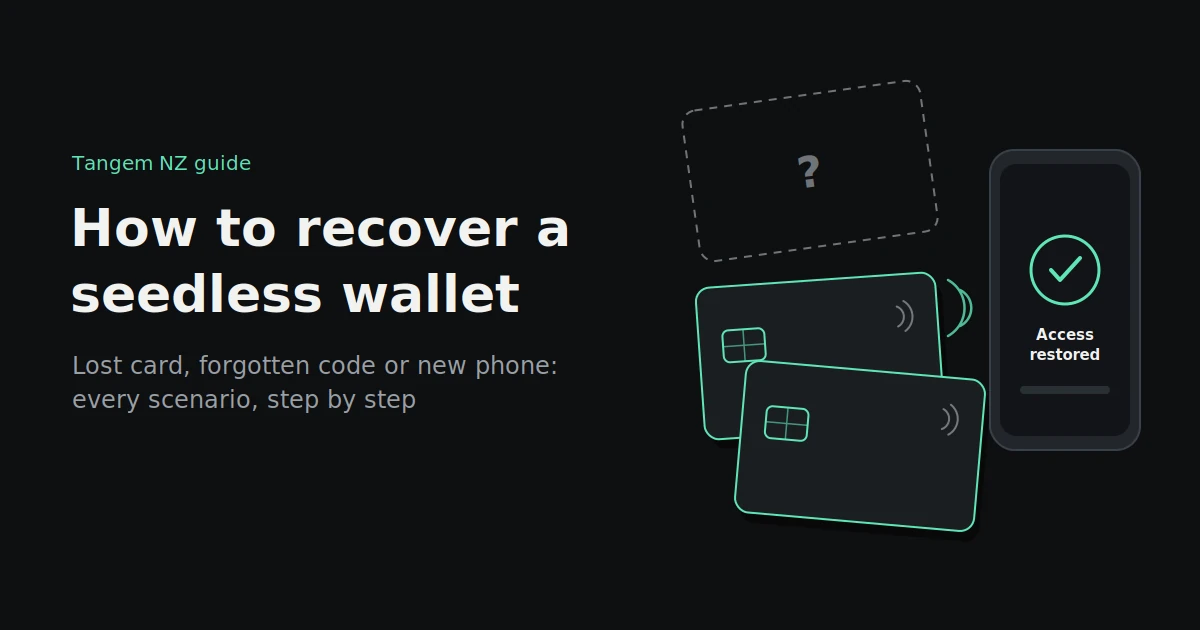
You’ve checked your wallet, the drawer and the car twice. The Tangem card isn’t there. Or you’re holding it, ready to send, and the access code you were sure you’d remember just won’t come back.
If you’re searching for how to recover a seedless wallet, take a breath. In most situations your crypto is fine. It lives on the blockchain, not on the card, and a seedless wallet is designed so that losing one device isn’t the end.
This guide walks through every common scenario, from a lost card to a new phone to a forgotten code, with the steps for each, and a clear word on the one situation that can’t be fixed.
The short answer
You recover a seedless wallet by using one of your other cards or your ring, because each holds the same key. If you’ve forgotten your access code, you reset it with a second device from the same set. If you’ve changed phones, you install the Tangem app and scan a card. The one thing you can’t recover from is losing every device when you have no seed phrase.
In practice, recovery depends on what you still have:
- At least one device and your access code: full access, every time.
- Two devices but no access code: you can usually reset the code.
- One device and no access code: you may be stuck. More on this below.
- No devices and no seed phrase: the funds can’t be recovered.
How seedless recovery works
Seedless recovery works through redundancy, not a password reset. When you set up a Tangem wallet, the same private key is securely copied to two or three devices. Any of them can open the wallet. Your crypto itself stays on the blockchain the whole time.
This means:
- There’s no “forgot password” button. No company holds a copy of your key, so nobody can reset your wallet for you. That’s the point of self-custody.
- Each device is a complete key. Losing your ring is the same as losing one of your cards. Tangem’s own help centre puts it exactly that way.
- Backups are set at the start. Tangem sets come with two or three devices, and backup devices can only be added when the wallet is first created. If you want more later, you’ll need to set up a new wallet.
If you chose to create your wallet with a seed phrase instead, you also have a second recovery route: the 12 or 24 words.
Recovery scenarios at a glance
Most recovery situations are straightforward if you still have at least one working device and your access code. The table below shows what you need for each common scenario and what to expect. The detailed steps follow.
| Situation | What you need | What to do | Outcome |
|---|---|---|---|
| Lost one card or your ring | Another device from the set and your access code | Open the wallet with the other device; consider moving funds to a new set | Full access |
| Forgot your access code | Two devices from the set, with access code recovery enabled | Reset the code in the Tangem app | Full access with a new code |
| Lost a device and forgot the code | Two remaining devices from a three-device set | Reset the code using both remaining devices | Full access |
| One device left and no access code | Not enough to reset | Contact support; keep trying to remember the code | Often unrecoverable |
| New or lost phone | Any device from the set and your access code | Install the Tangem app and scan the device | Full access |
| Card or ring stopped working | Another device from the set | Use it, then troubleshoot or make a warranty claim | Full access |
| Wallet created with a seed phrase | Your 12 or 24 words | Restore in the Tangem app or a compatible wallet | Full access |
| Lost every device, no seed phrase | Nothing left to restore from | None | Funds can’t be recovered |
Scenario-by-scenario recovery
Each situation has a clear fix as long as you still have the devices or the seed phrase it needs. Work through the one that matches your situation, and don’t reset any device that still holds funds until you’re certain you have another way in.
You lost one card or your ring
- Don’t panic, and don’t reset anything. Your other devices hold the same key.
- Open the Tangem app and scan another card from your set. Enter your access code. Your balance and wallet appear as normal.
- Decide whether to move your funds. If the lost device might be found by someone else, or you want a full set of backups again, set up a new Tangem set and transfer your crypto to it. See “Should you replace a lost card?” below.
You forgot your access code
- Find two devices from the same set. You need the device whose code you want to reset, plus a second device from the same wallet with access code recovery enabled.
- In the Tangem app, choose the option to reset the access code and follow the prompts, scanning both devices when asked.
- Create and confirm a new access code, and store a copy somewhere safe and separate from your cards.
If you’ve also lost a device, you’ll need two of your remaining devices. That’s why a three-device set gives you more room for error than a two-device set.
You lost or replaced your phone
Your keys aren’t on your phone, so this is the easiest fix. Install the official Tangem app on your new phone, scan any device from your set, and enter your access code. If you’d saved your code with Face ID or fingerprint on the old phone, you’ll need to type it once on the new one.
Your card or ring stopped working
First rule out the phone: check that NFC is on, remove thick cases and try a second phone. If the device still won’t scan, use another card from your set to access the wallet, then contact the seller about a warranty claim. A replacement is a new device, so you’d set it up as a new wallet and transfer your funds.
You used a seed phrase instead
If you created your wallet with a 12- or 24-word seed phrase, you can restore it in the Tangem app on a new set, or in another compatible wallet. Only ever type your phrase into the official app, and never into a website.
You lost every device
If you lost every card and ring and didn’t create a seed phrase, the wallet can’t be recovered. Tangem doesn’t hold a copy of your key, and nobody else can restore it. That’s why the setup steps later in this guide matter so much.
Should you replace a lost card?
Usually yes. You can’t add a new card to an existing Tangem wallet, because backups are set when the wallet is created. To get back to a full set, you set up a new wallet on a new set of devices and transfer your crypto across. Once the old wallet is empty, a lost card is worthless to whoever finds it.
How to do it safely:
- Buy a new, sealed Tangem set from Tangem or an authorised seller. A three-device set gives you the most room for future mistakes.
- Set up the new wallet and complete the backup to every device in the set.
- Send a small test amount from your old wallet to the new one, and check it arrives.
- Transfer the rest, coin by coin and on the right network for each.
- Keep a note of the fees and transaction IDs for your records.
- Optionally, reset your old devices once they’re completely empty. Wallet 2.0 devices can only be paired with devices of the same generation, so check before reusing them.
You don’t have to do this immediately if the lost card is somewhere safe, such as lost inside your own house. But if it could be in someone else’s hands, moving your funds is the safest choice.
Beware of “recovery” scams
When something goes wrong, scammers are usually not far behind. Fake support agents, “wallet recovery services” and lookalike apps all target people who’ve lost access. Genuine support will never ask for your access code or seed phrase, and nobody can recover a seedless wallet without your devices.
Red flags to watch for:
- Someone contacts you first after you post about a problem on social media or a forum.
- Anyone asks for your access code, seed phrase or a photo of your card.
- Recovery services that promise to get your crypto back for an upfront fee.
- Links to download a “fixed” or “recovery” version of the Tangem app.
- Callers claiming to be police or official support. In July 2026, NZ Police and the National Cyber Security Centre warned that scammers were impersonating police and wallet support to target crypto holders.
If you think you’ve been targeted, report it to NZ Police on 105 or to the NCSC on 0800 114 115, and only use the official Tangem app and your seller’s verified contact details.
Set yourself up for easy recovery
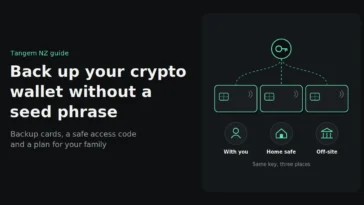
The best recovery plan is made before anything goes wrong. Use a three-device set if you can, test every device, store them in separate places, keep your access code safe and separate, and make sure someone you trust knows what to do.
- Choose a three-device set if you’re buying new. It gives you the margin to lose a device and still reset a forgotten access code.
- Test every device after setup by scanning each one and confirming it opens the wallet.
- Store devices in separate places, such as one at home, one with a trusted family member and one in a safe deposit box. In an earthquake-prone country, keeping them in different towns adds another layer of safety.
- Keep a safe record of your access code, stored away from the cards themselves.
- Leave instructions for your family: which wallet you use, where each device is, and that they’ll need the access code. Store these instructions separately from the code.
- Check your devices once or twice a year by scanning each one in the app.
FAQs
Can I recover my Tangem wallet without a seed phrase?
Yes, as long as you have at least one device from your set and your access code. Each card or ring holds the same key, so any one of them can open your wallet. If you lose every device and never created a seed phrase, the wallet can’t be recovered.
What happens if I lose my Tangem card?
Your crypto is safe on the blockchain. Open your wallet with another card or your ring from the same set. Many owners then set up a new Tangem set and transfer their funds, so they’re back to a full set of backups.
How do I reset my Tangem access code?
You need two devices from the same set: the one whose code you want to reset, and another with access code recovery enabled. Use the reset option in the Tangem app, scan both devices, and set a new code.
Can I add a new backup card to my Tangem wallet?
No. Backup devices can only be added when a wallet is first created. To add more, you’d set up a new wallet with all the devices you want and transfer your funds to it.
What if I get a new phone?
Install the official Tangem app on the new phone, scan any device from your set and enter your access code. Your keys live on the cards, not the phone, so nothing is lost.
Can Tangem recover my wallet for me?
No. Tangem doesn’t hold copies of your private keys, so it can’t restore a wallet without your devices or seed phrase. Be wary of anyone who claims they can.
In most cases, recovering a seedless wallet takes minutes: scan a backup, reset a code or install the app on a new phone. The difference between an easy recovery and a permanent loss is usually decided at setup, by how many devices you have and where you keep them.
Buy genuine Tangem wallets from Tangem NZ, an authorised New Zealand seller, with three-device sets and NZ$ pricing including GST. If you’re stuck on a recovery, get in touch with our New Zealand team and we’ll help you work out your options. We’ll never ask for your access code.