In October 2026, Ledger began investigating reports that customers who bought its hardware wallets through a reseller in Southeast Asia had their crypto drained. Analysts tracking the wallets put the losses at more than US$86 million. Ledger has since said that at least one affected device carried an unauthorised hardware implant, and asked the reseller to pause sales while the investigation continues.
The full picture is still being pieced together, and the final findings may differ from the early reports. But the story has put one question in front of every hardware wallet buyer: can you trust the device in the box?
This guide explains what a supply-chain attack is, why Tangem’s design gives that kind of attacker almost nothing to work with, how to verify a Tangem wallet in the app before you put a cent on it, and the trade-off that comes with having no screen.
What a supply-chain attack on a hardware wallet looks like
A supply-chain attack happens somewhere between the factory and your hands. The device that arrives looks genuine, but it has been opened, modified or set up by someone else first. With hardware wallets, the attacks seen in the wild fall into three groups:
- Pre-initialised devices. The wallet has already been set up, and the seed phrase is already known to the attacker. Sometimes a printed card with the recovery words is slipped into the box so it looks like part of the product.
- Modified hardware. Extra components are hidden inside the device to capture the seed phrase when it is displayed on the screen or typed in, and then send it out. This is the kind of implant described in the current reports.
- Counterfeits. A fake that looks like the real product and leaks whatever you enter into it.
The common thread is the seed phrase. A wallet that shows 12 or 24 words on its screen during setup gives a tampered device one obvious moment to capture everything it needs. Whoever has those words has your funds, from anywhere in the world, without ever touching the device again.
Why a Tangem wallet has nothing to intercept
Tangem’s answer to this class of attack is not a cleverer screen. It is to remove the things the attack depends on.
Seedless by design
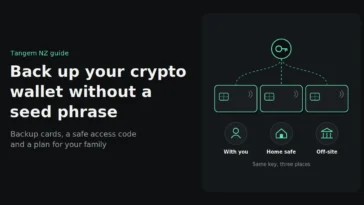
A Tangem wallet does not generate or display a seed phrase in its standard setup. When you activate the card, the private key is generated inside the card’s certified secure chip and never leaves it. There is no list of words to show on a screen, photograph, type into a phone or hide on a printed card in the box. Your backup is made by copying the key to your extra cards during setup, not by writing anything down. (An optional seed-phrase import exists for advanced users; the default seedless setup is what this article describes, and it is what we recommend.)
If there is no seed phrase, there is nothing for a hidden implant to capture at the moment that matters. We looked at the risks and trade-offs of seedless wallets in detail here.
Just a card
A Tangem wallet has no screen, no battery, no USB port and no Bluetooth. It is a card the size of a credit card, powered by your phone’s NFC field for the second or two it takes to sign. Fewer components mean fewer places for extra hardware to hide and fewer channels for anything to leave the device. There is no screen to spoof, no radio to tap and no port to plug into.
Buy anywhere, verify in the app
Because Tangem expects its cards to be sold by many resellers, the verification is built into the official Tangem app rather than into the box. When you tap a card for the first time, the app checks that the chip is a genuine Tangem chip. It also warns you if the wallet has been activated before. A card that was set up by someone else before it reached you is flagged before you move any funds.
That check takes seconds and costs nothing, so make it a habit: install the Tangem app from the official App Store or Google Play listing, tap the card, and confirm two things before you create your wallet. The app says the card is genuine, and the app says it has not been activated. If either check fails on a card sold to you as new, stop and contact the seller.
No screen means you verify on your phone
A screen is not useless. Screen-based wallets let you confirm the destination address and amount on the device itself, which protects you if your phone or computer is showing you something misleading. Tangem gives that job to the app on your phone instead. In exchange, you lose the seed phrase that phishing, implants and fake support agents all go after.
So the discipline with a Tangem wallet is simple: read the address and amount in the app before you tap to sign, keep your phone updated, use only the official app, and send a small test transaction before a large one. We walk through every realistic attack on a seedless wallet here, including the lab-grade physical attacks that need your actual card.
A buying checklist for New Zealand
- Buy from an authorised reseller. Tangem NZ is an authorised New Zealand seller with NZ stock, NZD pricing including GST, and local warranty support. The reseller is the link in the chain you can actually choose.
- Check the box. Tangem never ships recovery words, a printed seed card or pre-written access codes with a wallet. If anything like that is in the packaging, do not use the cards.
- Run the authenticity check. Tap each card in the official app before you activate anything and confirm it is genuine.
- Confirm the card has not been activated. A new card should show no prior activation. If the app warns that it has, stop.
- Set a strong access code and make your backups during setup. Keep the backup cards in separate places. Here is how backup cards work.
- Never share your access code. Tangem support, NZ Police and your reseller will never ask for it.
If you own a Ledger device
If you bought a Ledger wallet recently, especially through a third-party seller, follow Ledger’s own guidance for affected customers and check the serial number of the device with them. If your funds are safe but you would rather not rely on a seed phrase at all, a Tangem set is a straightforward place to move to. Our Tangem vs Ledger vs Trezor comparison covers the differences without the marketing.
Can a Tangem wallet be tampered with before it reaches me?
Any physical product can be interfered with in transit, which is why the official Tangem app verifies that the chip is genuine and warns you if the card has been activated before. Buy from an authorised reseller and run both checks before you set up the wallet.
Does a Tangem wallet have a seed phrase?
Not in its standard setup. The private key is generated inside the card’s secure chip and backed up to your extra cards, so no recovery words are ever displayed. A seed-phrase import option exists for advanced users, but the default seedless setup never shows one.
Why does having no screen help against a supply-chain attack?
The attack described in the recent reports relied on capturing the seed phrase as the device displayed it. With no screen and no seed phrase, there is nothing to capture during setup. You still need to read what you sign in the app on your phone.
Where should I buy a Tangem wallet in New Zealand?
From an authorised reseller such as Tangem NZ. You get NZ stock, NZD pricing with GST included, local warranty support and easy returns, and you can verify the cards in the Tangem app the moment they arrive.
The lesson of the Ledger reseller incident is not that hardware wallets are unsafe. It is that the seed phrase is the thing every attacker wants, and the fewer places it exists, the better.
Buy genuine Tangem wallets from Tangem NZ, an authorised New Zealand seller, with NZD pricing including GST. Have a question about verifying or setting up your wallet? Get in touch with our New Zealand team, and we’ll walk you through it.