Most crypto losses we hear about don’t come from someone cracking a blockchain. They come from an exchange account that got phished, a seed phrase typed into a fake website, or a laptop with malware on it. Good Tangem Wallet security is mostly about taking those easy routes away.
This post explains how the Tangem Wallet protects your keys, where its limits are, and what you still need to do yourself.
Why leaving crypto on an exchange is risky
When your coins sit on an exchange, the exchange holds the private keys. If it gets hacked, freezes withdrawals or goes under, you are a creditor, not an owner.
Phone and browser wallets are better because you hold the keys, but those keys live on a device that is online all day, installs apps and opens links. That is the environment malware and phishing pages are built for.
A hardware wallet (cold storage) keeps the private key on a separate chip that never hands it to your phone or computer. Transactions get signed on the chip, and only the signed result comes out.
How Tangem Wallet security works
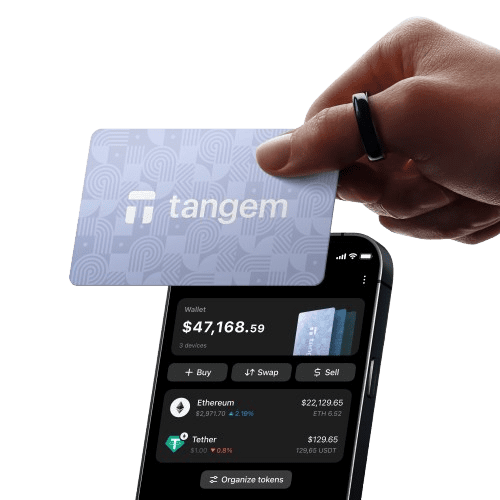
Tangem is a Swiss company, and its wallet is a card (or a ring) with a secure chip inside. You open the Tangem app on your phone, tap the card against the back of it, and the phone talks to the chip over NFC. The private key is generated on the chip and stays there.
The secure chip
Each card uses a Samsung secure element certified to EAL6+, the same class of chip used in passports and bank cards. Tangem’s firmware has been audited by Kudelski Security and Riscure.
The firmware also can’t be updated. That sounds like a drawback, but it means nobody (Tangem included) can push new code onto your card that changes how it handles your key.
Seed phrase optional
Traditional hardware wallets give you 12 or 24 words to write down. Anyone who finds or photographs those words owns your crypto, and fake “wallet support” sites exist purely to get people to type them in.
Tangem lets you skip the seed phrase entirely. Your backup is a second (or third) card from the same set instead. If you prefer a written phrase, you can choose that at setup, but you don’t have to.
No battery, no cable, no Bluetooth
The card has no battery and no screen. It only powers up for the second or two it sits against your phone’s NFC reader. There is no USB port and no Bluetooth or Wi-Fi radio, so there is no always-on connection for anyone to attack.
Your phone still needs the internet to look up balances and broadcast a transaction. The card itself never goes online.
Access code
You set an access code when you create the wallet. Someone who picks up your card can’t send funds without it, so a card dropped in a car park isn’t the same as lost crypto.
Built to last
The cards are rated IP69K for water and dust, and Tangem backs them with a 25-year warranty. With no battery to wear out, there isn’t much in them that can fail.
Two or three cards, one wallet
Sets come with two or three cards that all hold the same key. Keep one in your wallet and another somewhere separate, like a safe or a family member’s house. If one card is lost, damaged or stolen, the other still opens your wallet.
Tangem compared with Ledger and Trezor
| Feature | Tangem Wallet | Ledger / Trezor |
|---|---|---|
| Seed phrase | Optional | Required |
| Connection | NFC tap | USB, some models Bluetooth |
| Power | None (powered by the phone’s NFC) | Cable or battery |
| Screen on device | No | Yes |
| Backup | Second or third card | Written recovery phrase |
Neither approach is wrong. Ledger and Trezor have an on-device screen for checking addresses, which some people value. Tangem is easier to carry and set up, and removes the written phrase that catches out a lot of beginners.
What the wallet can’t do for you
A hardware wallet protects the key. It can’t stop you approving a bad transaction, so a few habits matter just as much:
- Download the Tangem app only from the App Store or Google Play.
- Check the receiving address before you tap to send.
- Ignore anyone who contacts you offering wallet “support” or asking for a code.
- Store your backup card away from the main one.
Buying a Tangem Wallet in New Zealand
The app runs on iOS and Android and supports 90+ networks and 16,000+ tokens. Buy from an authorised seller so you know the cards haven’t been tampered with before they reach you.
We are the authorised NZ seller at tangem.nz and ship from Auckland. The 2-card set is NZ$109.99 and the 3-card colourways are NZ$139.99, both including GST. The Tangem Ring is also available.
Common questions about Tangem Wallet security
How does the Tangem Wallet keep my crypto safe?
Your private key is created inside an EAL6+ Samsung secure chip and never leaves it. Transactions are signed on the card, so your phone never sees the key.
Does the card need an internet connection?
No. The card talks to your phone over NFC when you tap it. Your phone uses the internet to send the signed transaction to the network.
What happens if I lose a card?
Use another card from the same set. Each set has two or three cards holding the same wallet, so one going missing doesn’t lock you out. Whoever finds it still needs your access code.
Can a Tangem Wallet be hacked?
No wallet is beyond attack, but the key sits in a certified secure chip with audited firmware that can’t be changed, and there is no USB or Bluetooth link to reach it remotely. The more realistic risk is being tricked into approving a transaction, so check addresses.
Is it better than Ledger or Trezor?
It is different. Tangem is simpler to set up and doesn’t need a seed phrase. Ledger and Trezor have a screen on the device. Beginners usually find Tangem easier to live with.
How long will the cards last?
They have no battery and are rated IP69K, and Tangem gives a 25-year warranty.
Where can I buy one in New Zealand?
From our Tangem Wallet NZ store. We ship from Auckland, and every set comes through Tangem’s authorised supply.