What is Tangem Pay
Tangem Pay is a non-custodial payment account built into the Tangem Wallet app. It lets you spend USDC on the Polygon network with a virtual Visa card, online or in shops, wherever Visa is accepted. In other words, crypto you would otherwise only hold or trade becomes something you can pay for things with.
Tangem Pay is provided by Paera LLC, a US company that delivers the service to users in eligible countries. The Visa card is issued by Third National, a licensed card issuer and Visa network partner. The card programme is run in partnership with Rain, with Visa, Sumsub (ID verification), Elliptic (transaction monitoring) and other providers involved.
How Tangem Pay works
Setting it up takes a few minutes.
Open the Tangem app (version 5.35 or later) and tap the Tangem Pay banner on the home screen. You can also go to the app settings and tap Get Tangem Pay.
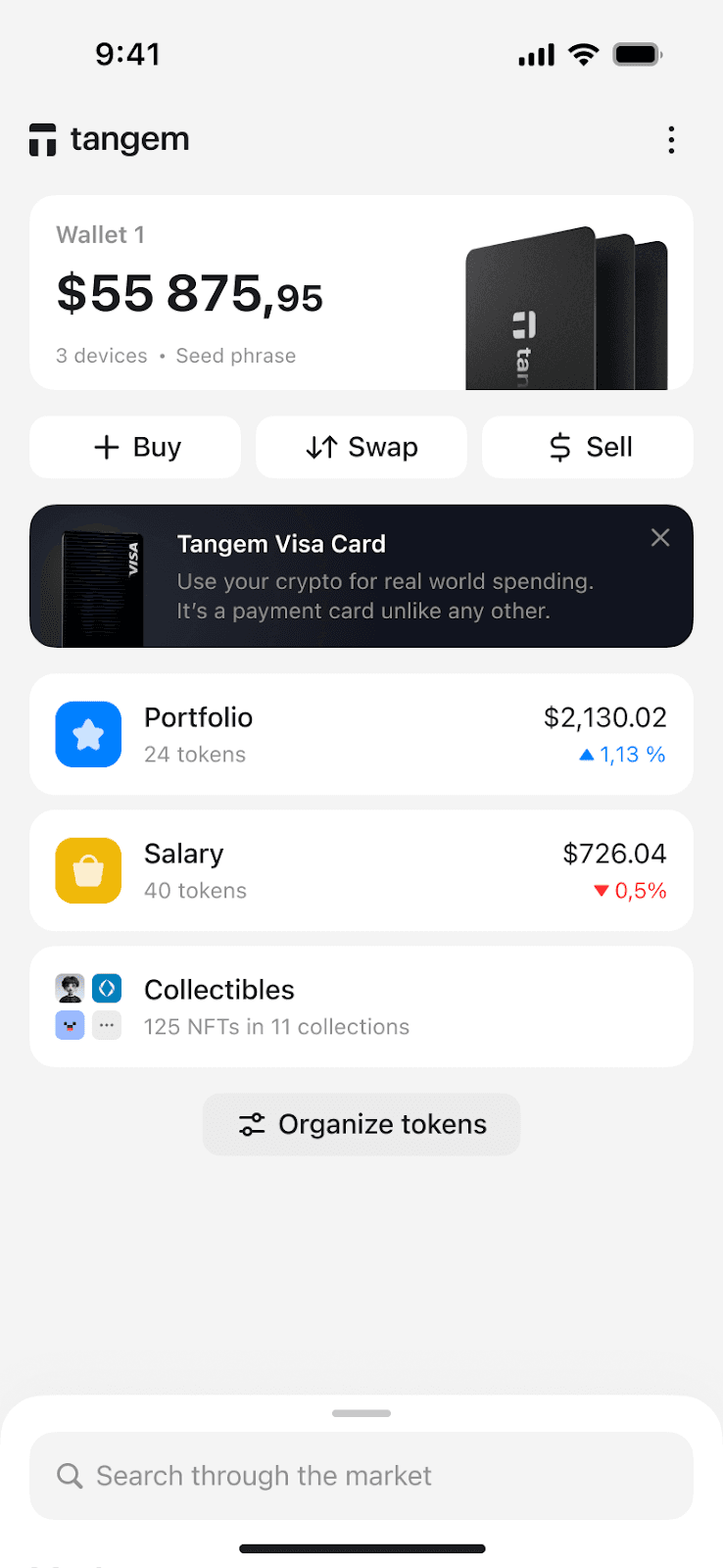
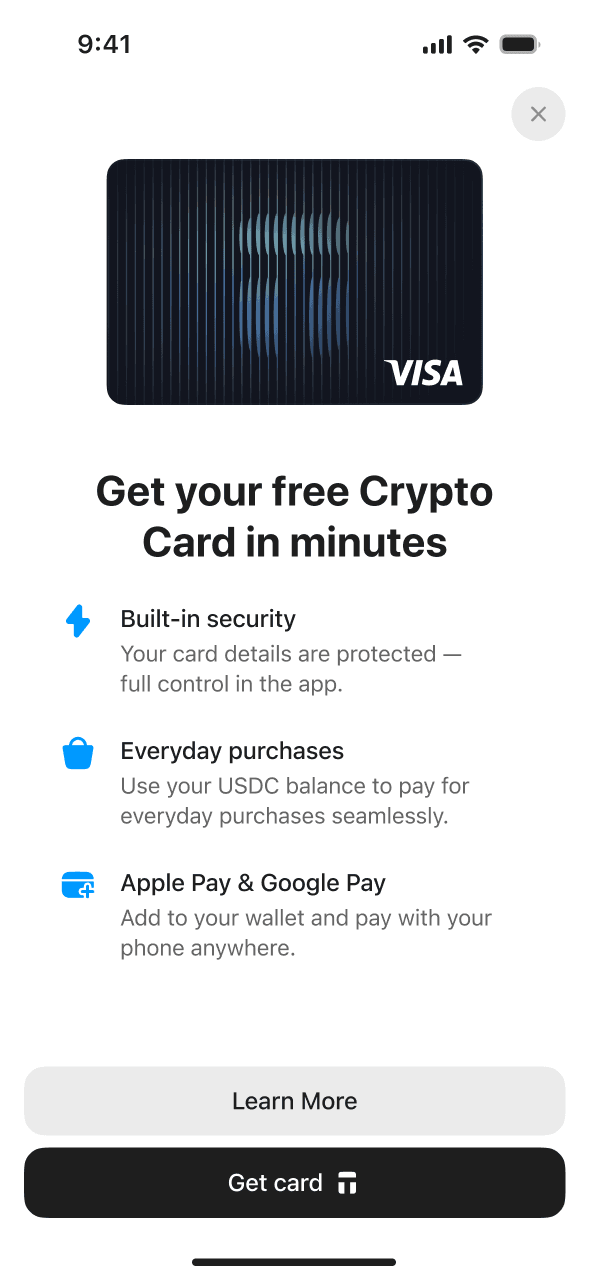
Scan your Tangem Wallet to authenticate, confirm your country of residence, then complete a short identity check (about two minutes) through Sumsub. This verification is only for the Visa payment account, not for your wallet.
Once you’re verified you get a virtual Visa card. Next, add funds to your Tangem Pay balance, which is a separate payment account alongside your main holdings. You can send native USDC on Polygon straight to your payment address, or use the built-in swap to convert other assets.
To pay in person, add the virtual card to Apple Pay or Google Pay and tap wherever contactless is accepted. The USDC needed is deducted from your smart contract account and processed through Visa in US dollars.
The merchant is paid in ordinary currency through the Visa network, and the transaction shows up in your app straight away.
What you can use Tangem Pay for
Online purchases and subscriptions are the obvious one: streaming, software and online shopping. The virtual Visa card works anywhere that takes standard card payments.
It also works for travel. You can book flights, hotels and rental cars without converting to local currency first, and conversion rates and fees are shown up front.
Then there’s day-to-day spending. If a café, supermarket or shop accepts Visa contactless, you can pay with your USDC.
What makes Tangem Pay different
Your funds stay on-chain the whole time, and you keep control of your wallet and its private keys. The KYC check applies only to the Tangem Pay account. Tangem Pay is an optional, regulated feature for people who want Visa payments, with identity verification handled at the account level rather than the wallet.
Availability
Tangem Pay is available to users in selected countries across the USA, LATAM, APAC, MEA and Africa. Not every country in each region is covered. Eligibility is checked in the app during onboarding, based on your country of residence, so that is the place to confirm whether you can use it. If you have questions about your country, email pay@tangem.com.
Tangem says the list of supported countries will grow over time.
Getting started
Download the Tangem app or update to version 5.35 or later, then open Tangem Pay from the banner or settings menu to start onboarding.
For step-by-step activation, card management and technical questions, see Tangem’s full Tangem Pay setup guide.
Tangem Pay FAQs
How is Tangem Pay different from the Tangem Wallet?
Tangem Wallet is a self-custody hardware wallet where you control the keys. Tangem Pay is an optional, regulated product inside the same app. It lets you open a payment account, verify your identity and get a Visa card for everyday spending.
How is Tangem Pay self-custodial?
Your funds sit in a smart contract account on Polygon that only you control. When you pay, you sign a transaction that releases just the amount needed, say $3 for a coffee or $70 for fuel. Rain, the card programme partner, never touches anything beyond what you’ve just approved.
That sets it apart from many crypto cards. No company holds your money in a pooled (omnibus) account, so there is no counterparty risk from pooled funds. Your USDC stays yours until the payment goes through.
Where can I use the Tangem Pay card?
Anywhere Visa is accepted, online and in store, including merchants that take Apple Pay and Google Pay. The card currency is USD, so if you pay in another currency (NZD included), Visa’s exchange rates and cross-border fees may apply. International transactions are supported under standard Visa terms.
Do I need to convert crypto to fiat before spending?
No, but you do need to top up your Tangem Pay account with USDC on Polygon before you can spend. The card settles purchases from that on-chain USDC balance. When you pay, the equivalent USDC is deducted from your smart contract account and processed through Visa in US dollars, while your balance stays on-chain and non-custodial.
What cryptocurrencies are supported for spending?
For now, only native USDC on the Polygon network. You fund the account with that token from your Tangem Wallet or an external wallet. Tangem plans to add more stablecoins and networks later.
How do I sign up for Tangem Pay?
First you need to be a Tangem Wallet user (hardware or mobile wallet). Once you pass KYC, your Tangem Pay account is activated and the virtual Visa card is issued straight away. Add it to Apple Pay or Google Pay, top up with USDC on Polygon and you can start spending.
What do I need to sign up?
You’ll need:
- a Tangem Wallet
- a supported iOS or Android phone
- valid ID for the KYC check
- a residential address in a supported country
- a USDC balance on the Polygon network
Are there any fees?
There are no transaction fees and no monthly account fees for Tangem Pay.
These charges may still apply:
- a foreign exchange markup if you spend in a currency other than USD
- Polygon gas fees when you top up with USDC, which depend on network conditions and go to the network, not Tangem
- ATM withdrawal fees, once that feature is available
How do I fund my Tangem Pay account?
Tap Add funds and send native USDC (Polygon) from your Tangem Wallet. The funds land in your smart contract wallet and can be spent as soon as the transaction confirms.
Can I withdraw funds back to my wallet?
Yes. The balance sits in a smart contract you control, and you can move any unused USDC (Polygon) back to your Tangem Wallet whenever you like.
Are there any spending restrictions with Tangem Pay?
You can make online and in-store purchases at merchants that accept Visa. For now the card can’t be used at ATMs, and only prefunded USDC (Polygon) can be spent. Spending directly from other tokens or chains isn’t supported yet.
What happens when I make a payment with Tangem Pay?
The equivalent amount of USDC is deducted from your smart contract account to cover the purchase. Visa then processes the payment and settles with the merchant in USD. If a transaction is declined, your funds aren’t touched. Pending and reversed transactions follow normal Visa network timelines.
Who is behind Tangem Pay?
Tangem Pay is provided by Paera LLC, a US company that delivers the service to users in eligible countries. The Visa card is issued by Third National, a licensed card issuer and Visa network partner. The card programme is managed with Rain, supported by Visa, Sumsub (ID verification), Elliptic (transaction monitoring) and other providers.
How can I request the issuance of the card?
There are two ways in:
- the Get Tangem Pay option in the app menu
- a temporary Tangem Pay banner on the home screen
Both only appear for users whose IP address is in a supported country. If you don’t see either, eligibility is still confirmed during onboarding by country of residence, and pay@tangem.com can answer questions about your situation. You can buy a Tangem Wallet to use with it, such as the 2-card set, from Tangem NZ, an authorised New Zealand seller.