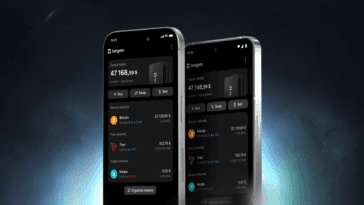
“Contactless” means two different things when people ask us about Tangem. Sometimes they mean tapping the card on a phone to sign a transaction. Sometimes they mean paying for a coffee with crypto. Tangem does both, but they work differently, and it’s worth being precise about what you’re getting before you buy a card at tangem.nz expecting one or the other.
This post explains how the NFC tap works, how Tangem Pay turns a wallet balance into a Visa payment, and where the limits are for New Zealand users.
What Tangem Wallet is
Tangem Wallet is a hardware wallet in the form of an NFC card (or a ceramic ring). Your private key is generated inside the card’s EAL6+ secure chip and never leaves it. The Tangem app on your phone handles everything you see; the card handles the one thing that matters, signing. There is no battery, no cable and no screen on the card.
Contactless, meaning one: the NFC tap
Every transaction you send goes through the same motion. You enter the details in the app, hold the card to the back of your phone, enter your access code, and the chip signs. The phone then broadcasts the signed transaction to the network. The card draws its power from the phone’s NFC field during the tap, which is why it needs no battery.
What this gives you is a hardware wallet with no setup ritual. No cable to find, no firmware update to sit through, no seed phrase to copy out. Backup is a second and third card holding the same key.
One correction to a claim that gets repeated: the card is offline, but your phone is not. The app needs an internet connection to fetch balances and broadcast transactions. The card never touches the network; the phone does.
Contactless, meaning two: paying in shops with Tangem Pay
Tangem Pay is a payment account inside the Tangem app. You fund it with stablecoins, it issues a Visa card (virtual, with physical plastic now also available), and you add that card to Apple Pay or Google Pay. At the till you tap your phone like any other card. The merchant receives ordinary dollars through Visa; the equivalent amount of USDC leaves your Tangem Pay balance.
The account is non-custodial, with Tangem’s partner Paera providing the service and a licensed issuer behind the Visa card. Setup involves a quick identity verification, which is required for the Visa account only, not for the wallet itself.
Availability in New Zealand is confirmed inside the app, not by us. Tangem Pay is live in selected countries across several regions, and the app checks your country of residence when you apply. If it’s offered to you, the process takes a few minutes. If it isn’t yet, the rest of the wallet works exactly as before. Our longer write-up is at Tangem Pay New Zealand.
What the card is good at
Security without homework
The chip is certified to the same level used in passports and bank cards, and its firmware is fixed at manufacture, so there is nothing to patch and nothing an attacker can overwrite later. A lost card is useless without your access code. Your funds stay under your control: no custodian, no third party holding keys.
Broad coin support
The app supports more than 90 networks and over 16,000 tokens, covering Bitcoin, Ethereum, XRP, Solana, BNB Chain, Polygon and the major stablecoins. Swaps, staking, NFTs and WalletConnect for dApps are built in.
It survives a wallet and a washing machine
The card is IP69K rated and flexes without harm. The ring is zirconia ceramic. Neither has anything inside that can wear out, and the chip carries a 25-year warranty.
Tangem compared with a USB hardware wallet
| Feature | Tangem Wallet | USB-style hardware wallet |
|---|---|---|
| Setup | A few minutes, by NFC tap | 15 to 30 minutes, phrase written out |
| Backup | Matching cards | Written seed phrase |
| Firmware | Fixed, no updates | Updated periodically |
| Form | Card or ring | Device with screen |
| Everyday payments | Via Tangem Pay where available | Usually not built in |
Why it suits New Zealand buyers
Most people here already tap to pay for everything, so the gesture is familiar. There are no subscriptions on the wallet itself (Tangem Pay has a free tier and paid plans). And because we hold stock in Auckland, you get NZ$ pricing including GST, local warranty under the Consumer Guarantees Act, and someone in your time zone to call.
Buying in New Zealand
Tangem cards and the Tangem Ring are in stock at tangem.nz, Tangem’s authorised New Zealand seller. The 2-card set is NZ$109.99 and 3-card colourways are NZ$139.99, including GST.
Frequently asked questions
What is Tangem Wallet?
A hardware crypto wallet in the shape of an NFC card or ring. You tap it on your phone to sign transactions through the Tangem app. The card needs no battery or internet; the phone handles the network side.
Is it safe?
The key lives in an EAL6+ secure element and never leaves it. The firmware was audited by Kudelski Security and Riscure and can’t be modified. The realistic risks are the same as any wallet: losing all your backups, or being talked into sending funds to a scammer.
Which coins does it support?
Bitcoin, Ethereum, BNB, Polygon, USDT, USDC, XRP, Cardano, Solana and thousands of ERC-20 and BEP-20 tokens, across 90+ networks.
Card or ring?
Same chip, same security. The card is cheaper and more discreet; the ring is always on you. The ring set includes two backup cards. See Tangem Ring vs Tangem Card.
Can I recover funds if I lose a card?
Yes, with any other card from the same set, provided you linked them during setup. Backups can’t be added afterwards, so do it on day one.
Can I pay in shops with it?
Through Tangem Pay, where it’s available: fund the payment account with stablecoins, add the Visa card to Apple Pay or Google Pay, and tap. Check eligibility in the app.
Does it work with NFTs and DeFi?
Yes. NFTs on supported chains show in the app, and WalletConnect links the wallet to dApps, with the card signing each action.
How do I start?
- Order a set from tangem.nz.
- Install the Tangem app from the App Store or Google Play.
- Tap the first card to create the wallet, then link the backups.
- Set an access code and send a small test amount before the rest.