Most crypto security guides give you fifteen tips of wildly unequal value and present them as if they all matter the same amount. They don’t.
Crypto Wallet Security Checklist
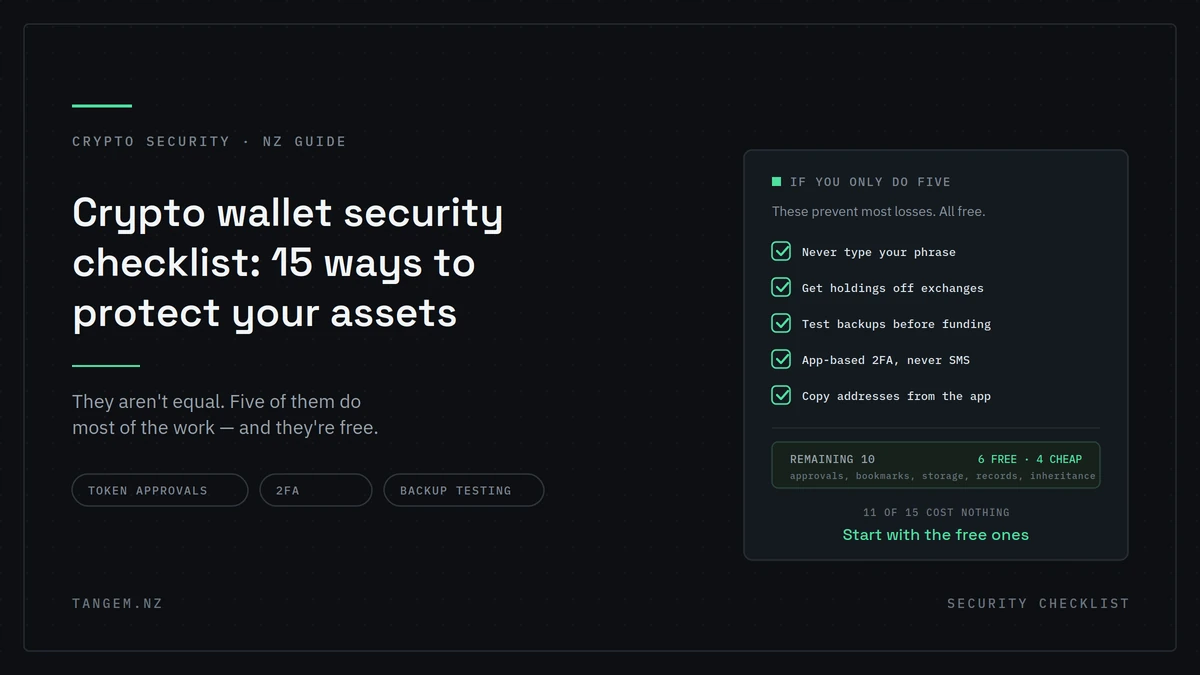
This crypto wallet security checklist is ordered by what actually prevents losses. The first five do most of the work, and eleven of the fifteen cost nothing. Work through the top section this weekend and you’ll have closed most of your exposure.
The five that matter most
If you do nothing else on this page, do these. Between them they prevent the large majority of crypto losses.
1. Never enter a recovery phrase anywhere, for any reason
No legitimate wallet, exchange, support agent or app will ever ask for your recovery phrase. Not to verify you, not to fix an error, not to release funds.
Anyone asking is stealing. There is no context that makes it acceptable, and this single rule defeats the most successful attack in crypto.
2. Move long-term holdings off exchanges
An exchange balance is a claim against a company. If you’re not trading it this quarter, it has no functional reason to sit there carrying counterparty risk.
Keep a trading balance, move the rest. Our guide to wallet versus exchange storage covers where the threshold sits for your situation.
3. Test every backup before you fund the wallet
The most common cause of permanent loss isn’t theft. It’s discovering your backup doesn’t work at the moment you need it.
Set up the wallet, then close the app and verify each backup device opens it independently. Only then transfer funds in. This takes five minutes and almost nobody does it.
4. Use app-based two-factor authentication, never SMS
SMS codes can be intercepted through SIM swapping, which is a documented and ongoing problem. An authenticator app is meaningfully harder to attack.
Change this on every exchange account you hold. It’s a five-minute job per account.
5. Verify addresses from your wallet app, never from your history
Address poisoning works by seeding a lookalike address into your transaction history so you copy the wrong one later.
Always copy from your wallet app, and read the first and last six characters before you send. A wrong address is irreversible.
The next five, worth an hour this weekend
More effort than the first five, still high value.
6. Review and revoke old token approvals
When you approve a contract to spend a token, that permission persists. It doesn’t expire when your balance hits zero, and it survives long after you’ve forgotten the site.
Review your approvals and revoke anything you don’t actively use, particularly unlimited allowances. Each revocation costs a little gas and closes a door you didn’t know was open.
7. Bookmark the real sites and stop searching
Attackers buy search ads against wallet and exchange brand names, so the top result can be a cloned site that looks identical.
Bookmark every exchange, wallet and service you use, and reach them that way. Do it now, while you’re calm and not mid-transaction.
8. Store backup devices in genuinely separate locations
Three cards in one drawer is one fire, one flood or one burglary away from zero.
Different buildings at minimum. For one device, a different city or a professional’s custody. Our comparison of the 2-card and 3-card sets covers the storage strategy in detail.
9. Use a dedicated email address for crypto accounts
Your main email is exposed in every data breach you’ve ever been caught in. A separate address, with a unique password and its own 2FA, isolates your crypto accounts from that.
10. Keep a small hot wallet separate from your main holdings
If you use dApps at all, fund a small wallet for it and keep your long-term holdings elsewhere.
Losses there should be annoying, not devastating. This is the single best structural protection against a malicious approval.
Items 11 to 15, once the rest is done
Lower priority. Worth doing once the first ten are done.
11. Set an access code you’ll remember under stress
Not something clever. Something you’ll recall in five years, in a hurry. And don’t store it on the phone you use to tap the card, because that puts both halves in one place.
12. Keep records
Dates, amounts, transaction hashes and NZD values. Inland Revenue expects you to show your cost base, and reconstructing it two years later is miserable. Useful for your own reference too.
13. Plan for inheritance
If something happens to you, does anyone know the wallet exists or how to reach it? For a lot of people the honest answer is no, and that means the crypto is simply gone.
A backup device with an executor, a lawyer, or named in your will is the practical solution. Worth discussing digital assets when you next update it.
14. Check the FMA warnings list before investing in anything new
The Financial Markets Authority publishes warnings about entities it has concerns with. It’s free, it takes a minute, and almost nobody checks it before sending money rather than after.
15. Do a test withdrawal
Send a small amount out of your wallet to an address you control. Learn the exit path while you’re calm, rather than working it out for the first time in an emergency.
The full checklist at a glance
| # | Item | Priority | Time | Cost | Prevents |
|---|---|---|---|---|---|
| 1 | Never enter a recovery phrase | Critical | Ongoing | Free | Phishing, the most common attack |
| 2 | Move long-term holdings off exchanges | Critical | An hour | Device cost | Exchange failure, freezes |
| 3 | Test backups before funding | Critical | 5 min | Free | Permanent loss on device failure |
| 4 | App-based 2FA, not SMS | Critical | 5 min each | Free | Account takeover, SIM swap |
| 5 | Verify addresses from the app | Critical | Ongoing | Free | Address poisoning, wrong sends |
| 6 | Revoke old token approvals | High | 20 min | Small gas fee | Drainer contracts |
| 7 | Bookmark real sites | High | 10 min | Free | Cloned sites, ad-based phishing |
| 8 | Separate backup locations | High | An hour | Free | Fire, flood, burglary |
| 9 | Dedicated crypto email | High | 15 min | Free | Breach cross-contamination |
| 10 | Small separate hot wallet | High | 15 min | Free | Malicious approvals |
| 11 | Memorable access code | Medium | 5 min | Free | Lockout, and casual access |
| 12 | Keep records | Medium | Ongoing | Free | Tax problems |
| 13 | Inheritance plan | Medium | An hour | Free | Total loss on death |
| 14 | Check FMA warnings | Medium | 1 min | Free | Investment scams |
| 15 | Test withdrawal | Low | 10 min | Network fee | Panic during an emergency |
Eleven of the fifteen are free. Nine of them take under twenty minutes.
Two things on most checklists that are wrong
Worth calling out, because both appear on reputable-looking security guides and both make your position worse.
“Store your seed phrase in a password manager”
This takes a secret whose entire value comes from being offline and puts it on an internet-connected service, one with an account, a login and a company behind it.
Password managers are genuinely good for passwords. A recovery phrase is a different class of secret, and the whole point is that it never touches a networked device.
“Photograph it as a backup”
A photo syncs to cloud storage within seconds, usually without you thinking about it. It’s then sitting in a service you don’t control, attached to an account that can be compromised, in a place you’ll forget it exists.
This is one of the most common ways phrases leak. Not through a sophisticated attack, but through a phone backup working exactly as designed.
What to do instead: keep the phrase offline on paper or metal, in separate locations. Or use a wallet with no phrase at all. Our explanation of how seedless wallets work covers why a hardware backup removes this problem entirely.
What a hardware wallet actually covers
A hardware wallet handles roughly a third of this list. Worth being straight about that.
It removes items 1 and 11 in their most dangerous form. With a seedless device there’s no phrase to phish, photograph or store badly. It also covers item 2, since it’s where your holdings go.
It helps with items 3 and 8, because the backup is a set of physical devices you can test and spread out.
It does nothing for items 4, 5, 6, 7, 9, 10, 12, 13, 14 and 15. Hardware signs what you approve. It won’t catch a poisoned address, won’t revoke an old approval, and won’t tell you whether an investment is real.
That’s why the free items on this list matter more than the purchase. If you only have an hour, spend it on 2FA, approvals, bookmarks and backup testing, not on shopping.
How often to revisit this
- Token approvals: every few months, and after any period of heavy dApp use
- Backup verification: once a year, and after moving house
- Storage locations: whenever you move, or when circumstances change
- 2FA and passwords: after any breach notification
- Inheritance plan: whenever you update your will
FAQs
What’s the single most important crypto security step?
Never entering your recovery phrase anywhere. It defeats the most common and most successful attack in crypto, it costs nothing, and it’s a rule with no exceptions.
Is a password manager safe for a seed phrase?
No. A recovery phrase’s value depends on being offline, and a password manager is an internet-connected service with an account attached. Keep phrases offline, or use a wallet that doesn’t have one.
How often should I check my token approvals?
Every few months, and after any period of heavy dApp use. Approvals persist after your balance hits zero, so an old one can drain funds you add to that address later.
Do I need a hardware wallet to be secure?
Not for small amounts you’re actively trading. It becomes the sensible answer as holdings grow. Just remember it covers about a third of this list, and the free items matter more if you only do some of it.
What should I do if I think I’ve been compromised?
Move remaining funds to a genuinely new wallet, revoke approvals on the affected address, stop engaging, document everything, and report it. Our guide to protecting your crypto from scams covers the reporting channels.
Is SMS two-factor authentication safe enough?
It’s better than nothing and worse than an authenticator app. SIM swapping is a real and documented attack, and SMS is the weakest widely-offered second factor.
How do I test my wallet backup?
Close the app, then open the wallet using each backup device independently before you transfer any funds in. If a device doesn’t open the wallet, you’ve found out at the only time it’s free to fix.
If item 2 is the one you’ve been putting off, Tangem NZ is an authorised New Zealand seller with stock in Auckland. A 2-card set is NZ$109.99 including GST, and setup takes a few minutes.