You’ve got the address in your clipboard, the amount typed in, and your thumb hovering over the confirm button. And you’re hesitating, because you know that once this goes, it goes.
That hesitation is correct. Bitcoin transactions can’t be reversed, recalled or cancelled by anyone. Learning how to send bitcoin from Tangem takes about a minute. Learning to send it without the mistakes that cost people money takes slightly longer, and that’s the part most guides skip.
Here are the steps, and the three checks that matter.
How to send bitcoin from Tangem
The short version:
- Open the Tangem app and tap your card or ring to unlock the wallet
- Select Bitcoin from your token list
- Tap Send
- Paste the destination address and verify it
- Enter the amount
- Choose a fee level
- Review the confirmation screen
- Tap your card to your phone to sign and broadcast
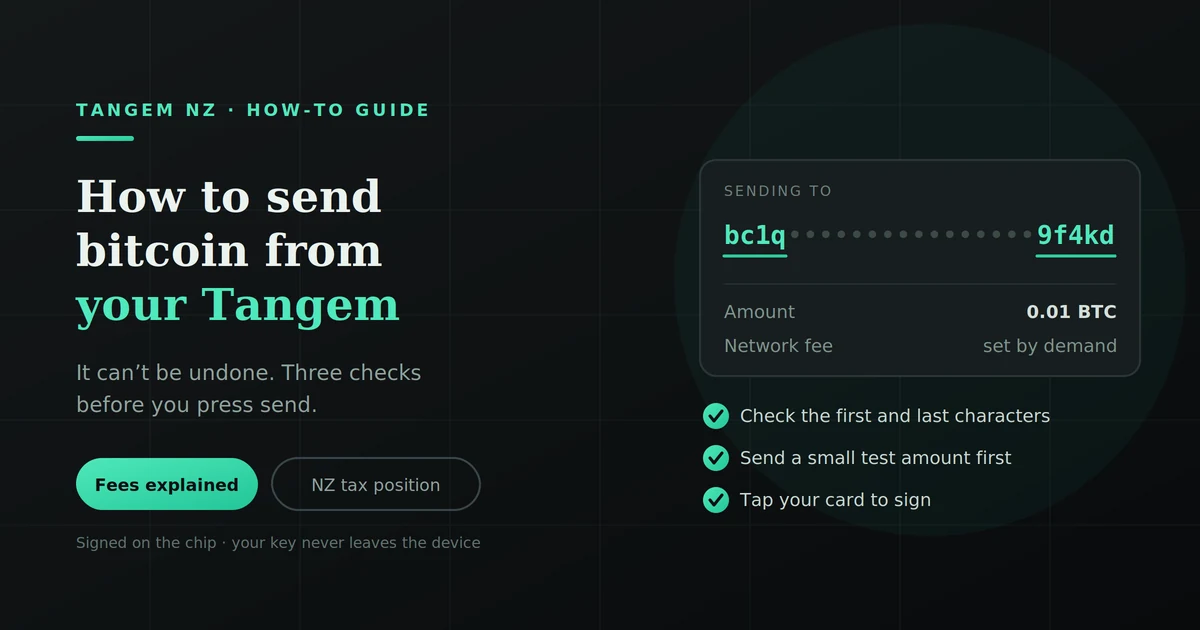
The card tap at the end is the signature. Your private key never leaves the device. The transaction is signed on the chip itself, and only the signed result goes to your phone.
Three checks before you send
These take under a minute combined and prevent almost every expensive mistake.
Verify the address, character by character
Don’t just trust the paste. Check the first five and last five characters against the source, and glance at the middle.
The reason is specific: clipboard-hijacking malware exists. It watches for something that looks like a crypto address, swaps it for the attacker’s address, and relies on you not looking. The paste succeeds. The address is simply a different one.
If you’re sending to an exchange, use their QR code where possible. It removes the clipboard from the process entirely.
Confirm the network
Bitcoin sent on the Bitcoin network reaches a Bitcoin address. But several exchanges list BTC deposits on more than one network (Bitcoin, Lightning, and wrapped versions on other chains), and each uses a different address format.
Send native BTC to an address expecting a wrapped version on another chain and recovery ranges from difficult to impossible. Check what the receiving end is asking for before you send, not after.
Send a test transaction first
For any amount that would genuinely hurt to lose, send a small amount first. Ten or twenty dollars.
Yes, you pay the network fee twice. That’s the cheapest insurance available. Wait for it to arrive and confirm it landed where you expected, then send the rest.
Do this every time you send to a new address. For an address you’ve used before and verified, once is enough.
Step by step, with what each screen is asking
Opening the wallet. Tapping your card authenticates you. The app can display balances on its own, but nothing can be signed without the physical device and your access code.
Selecting Bitcoin. If you hold multiple assets, make sure you’re in the Bitcoin wallet and not another token. Sounds obvious. Happens anyway.
The address field. Paste or scan. Bitcoin addresses commonly start with bc1, 3 or 1. If what you’ve pasted starts with 0x, that’s an Ethereum-style address and it does not belong here.
The amount. Enter it in BTC, or in NZ dollars if the app offers the conversion. Double-check the decimal placement. This is where a genuinely frightening class of mistake lives.
The fee. You’re choosing how much to pay miners to include your transaction in a block. More on this below.
The confirmation screen. Read it rather than skimming. Destination, amount, fee, and total. This is your last chance.
The card tap. Your device signs the transaction internally and hands back a signature. The key itself never transfers, which is the entire point of holding a hardware wallet.
Tangem has no screen. Here is what that means
Worth being straight about, because it’s a real difference and most Tangem content avoids it.
Hardware wallets with a display, such as Ledger and Trezor, show the destination address on the device itself. You compare what’s on the hardware against what’s on your computer. If malware swapped the address, the device screen reveals it.
Tangem has no screen. You verify on your phone. That’s a genuine trade-off for the card and ring form factor, and it means phone-side address tampering isn’t caught by the hardware.
What it doesn’t change: your private key is still isolated on the chip and can’t be extracted, and nothing can be signed without physically tapping your device. Remote theft of your key isn’t the risk this creates.
The practical mitigations:
- Keep your phone clean: official app stores, current OS, no sideloaded wallet-adjacent apps
- Use QR codes rather than clipboard paste where possible
- Verify the first and last characters against the source every time
- Test with a small amount for new addresses
- Treat any wallet app that appeared on your phone without you installing it as hostile
For most people, sensible phone hygiene plus the test-transaction habit closes this gap. But you should know it exists rather than find out about it later.
Understanding bitcoin fees
The fee goes to Bitcoin miners, not to Tangem. It’s a bid for block space, and it scales with how busy the network is rather than with how much you’re sending. A $50 transfer and a $50,000 transfer cost roughly the same.
| Fee level | Typical confirmation | When it makes sense |
|---|---|---|
| Low | Hours to days | Not urgent, network quiet, you’re patient |
| Normal | 30–60 minutes | Most transactions |
| High / priority | Next block or two | Time-sensitive, or the network is congested |
Two things worth knowing. Fees rise sharply when the network is busy, so the same send can cost very differently on different days. And underpaying doesn’t lose your bitcoin. It just leaves the transaction waiting, sometimes for a long time.
If you’re not in a hurry, checking current network conditions before sending can save real money. If you are in a hurry, pay for priority rather than gambling on a low fee.
Why “send max” behaves oddly
A small thing that confuses nearly everyone once.
Bitcoin works on unspent transaction outputs: discrete chunks of bitcoin, rather than a running balance like a bank account. When you spend, your wallet consumes whole chunks and returns the remainder to you as change.
Two consequences:
- The maximum you can send is your balance minus the fee, and the fee depends on how many chunks the transaction needs to consume. Sending “everything” leaves you at zero, not slightly above it.
- Very small leftover amounts, known as dust, can cost more in fees to spend than they’re worth, so they sit there effectively stranded.
If you’re emptying a wallet entirely, use the app’s max function rather than typing a number, and let it calculate the fee deduction for you.
If your transaction is stuck
First: it’s almost certainly fine. An unconfirmed transaction isn’t a lost one.
What’s happening. Your transaction has been broadcast and is sitting in the mempool waiting for a miner to include it. If you paid a low fee during a busy period, it waits longer.
How to check. Copy the transaction ID from the Tangem app and paste it into a public block explorer. You’ll see whether it’s been broadcast and how many confirmations it has. Most services treat bitcoin as settled after one to six confirmations.
Your options:
| Option | What it does | Trade-off |
|---|---|---|
| Wait | Fees fall, your transaction gets included | Free, but timing is uncertain |
| Push the transaction | Rebroadcast with a higher fee from the pending transaction in the app | Costs more; only offered for transactions the network still allows you to replace |
The Tangem app has had a push option for stuck transactions since mid-2025. Open the pending transaction and look for the option to speed it up. If it isn’t offered, waiting is your only route.
Transactions can sit unconfirmed for a long time in extreme congestion, and in rare cases eventually drop out of the mempool and return the funds to your wallet. They don’t vanish.
Sending to a New Zealand exchange
A few practicalities specific to depositing on an exchange:
- Copy the deposit address fresh every time. Many exchanges rotate addresses, and a saved one from three months ago may no longer be monitored.
- Check the minimum deposit. Send less than the minimum and it may not be credited automatically.
- Confirm the network the exchange expects for BTC deposits.
- Allow for their processing time on top of network confirmations. The blockchain may confirm in twenty minutes while the exchange takes longer to credit you.
- Keep the transaction ID. If something needs chasing, that’s what support will ask for first.
Does sending bitcoin trigger tax in New Zealand?
Moving bitcoin between wallets you own is not a disposal. Inland Revenue’s published position states plainly that a disposal does not include moving cryptoassets between wallets, addresses or accounts that all belong to you.
So sending from your Tangem to your own exchange account isn’t itself a taxable event. What happens next might be. IRD treats selling for New Zealand dollars, swapping one cryptoasset for another, and using crypto to pay for goods or services as disposals.
The practical implication: keep records of your transfers. You’ll need them to work out your cost base when you eventually do dispose, and IRD has been clear that each transaction is assessed on its own.
This is general information, not tax advice. New Zealand’s treatment of cryptoassets turns on your purpose when you acquired them, and that’s a question for a chartered accountant who handles crypto rather than for a retailer.
Common mistakes
- Pasting a stale address saved from an earlier transaction
- Wrong network when the receiving service supports several
- Skipping the test transaction on a large first send
- Panicking about an unconfirmed transaction and trying to force a fix
- Misplacing a decimal in the amount field
- Sending from your only remaining device. If you’ve lost a card or ring, rebuild your backup before you start moving funds around. Our guide on what happens if you lose your Tangem Ring covers that.
FAQs
How long does a bitcoin transaction from Tangem take?
Typically 10 to 60 minutes for the first confirmation, depending on the fee you chose and network congestion. Low-fee transactions can take considerably longer.
Can I cancel a bitcoin transaction?
No. Once broadcast, it can’t be cancelled or reversed by you, by Tangem, or by anyone. This is why the pre-send checks matter.
Why is my Tangem transaction pending?
It’s waiting in the mempool for a miner to include it, usually because the fee was low relative to current demand. Check the transaction ID on a block explorer and, in most cases, wait.
Does Tangem charge a fee to send bitcoin?
The network fee goes to miners, not to Tangem. Check the current fee structure in the app before sending.
Do I need my backup cards to send bitcoin?
No. Any single device from your set can sign transactions. The backups exist for redundancy, not for signing.
What happens if I send to the wrong address?
The bitcoin goes to that address and cannot be retrieved unless whoever controls it chooses to return it. This is the reason for verifying addresses and testing with a small amount first.
Is my private key exposed when I send?
No. The transaction is signed on the chip itself and only the signature leaves the device. The key never transfers to your phone.
First time sending? Take it slowly
There’s no prize for sending quickly. Verify the address, send a test amount, wait for it to land, then send the rest. That sequence costs you one extra network fee and removes nearly every way this goes wrong.
If you’re still setting up, Tangem NZ is the authorised New Zealand seller, with stock in Auckland and NZ$ pricing including GST. Questions about a transfer that’s gone sideways? Get in touch with our team. We’ll never ask for your access code.