Your finger is hovering over the withdraw button and you’re convinced you’re about to lose the lot.
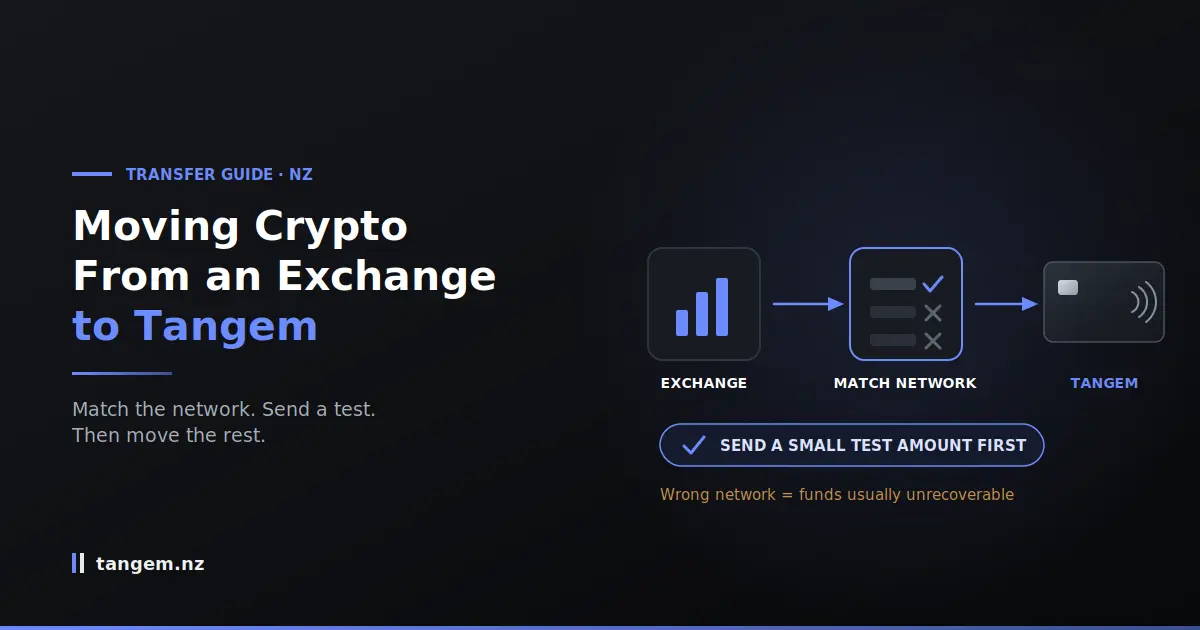
That feeling is reasonable. Crypto transfers are irreversible, and the internet is full of stories about people who typed one wrong character. But learning how to transfer crypto from an exchange to a Tangem wallet in New Zealand comes down to two habits: send a small test amount first, and check the network matches. Get those right and you’ve removed nearly all of the actual risk.
Below is the process, plus the mistakes that genuinely cost people money, which aren’t the ones most guides warn about.
The short version
- Set up and back up your Tangem wallet completely before sending anything.
- Add the specific coin in the Tangem app and copy its receive address.
- Match the network on the exchange to the network your address is for.
- Send the smallest amount the exchange allows and wait for it to appear in your Tangem app.
- Send the rest once the test has arrived.
That’s it. The extra withdrawal fee for step four is the cheapest insurance in crypto.
Before you touch the exchange
Get the wallet fully ready first: initialised, access code set, backup cards stored somewhere separate, and the coin you’re sending already added in the app. Every mistake worth worrying about starts with someone doing this in a hurry.
Set up and back up the wallet first
Never send funds to a wallet whose backup you haven’t finished. If you’ve initialised a single card and haven’t yet added the backup cards, stop and complete that.
It takes a few minutes now. It’s unrecoverable later.
Add the specific coin in the Tangem app
Each asset has its own address. Until you add that coin or token in the app, there’s no address to copy, and an address for one asset is not interchangeable with another.
Open the app, add the coin you’re about to send, and confirm it appears in your wallet list before you go anywhere near the exchange.
Getting your receive address right
Copy the address from the Tangem app for the exact coin you’re sending, paste it into the exchange, then compare the first four and last four characters against the app. Address mistakes cannot be reversed by anyone: not the exchange, not Tangem, not a bank.
Always copy and paste. Never type an address by hand, and never work from a photo of one.
The screen problem worth understanding
Most Tangem content doesn’t mention this, and you should know it.
Tangem cards have no display. On a hardware wallet with a screen, you verify the receiving address on the device itself, independent of your phone. With Tangem, the address only ever appears in the app, so your phone is part of the trust chain in a way it wouldn’t otherwise be.
In practice this is a modest risk for an ordinary user with an up-to-date phone. But it’s the specific reason a test transaction matters more here, not less. The test does the verification job a screen would otherwise do: if the wrong address were substituted, your small test wouldn’t arrive, and you’d have lost a few dollars instead of everything.
Clipboard risks and address poisoning
Two real attacks, both defeated by the same habit:
- Clipboard swapping. Malware watches for a copied crypto address and replaces it with the attacker’s. You paste, it looks like an address, and it isn’t yours.
- Address poisoning. An attacker sends a tiny amount from an address engineered to look like one you use, with the same first and last few characters. It appears in your transaction history, and weeks later you copy it from there instead of from the app.
The defence for both: paste, then check the first four and last four characters against the app. Ten seconds, every single time. And always copy from the Tangem app rather than from your history.
The network mistake that actually loses people’s money
The same token exists on several blockchains, and sending on a network your receiving address doesn’t support usually means permanent loss. This causes more losses than mistyped addresses, because the address still looks perfectly valid. The exchange accepts it and sends the funds into a chain where your wallet has no visibility.
Match the network. Every time. It’s the single most important check on this page.
A worked example with USDT
USDT exists on Ethereum, Tron, BNB Chain, Solana and others. Same ticker, same name, completely different rails.
| Network | Typical fee | Typical speed | If you choose wrong |
|---|---|---|---|
| ERC-20 (Ethereum) | Highest, varies with congestion | Seconds to minutes | Funds sit on a chain your address may not cover |
| TRC-20 (Tron) | Very low | Seconds | Same: the transfer “succeeds” and you can’t see it |
| BEP-20 (BNB Chain) | Low | Seconds | Same |
| Solana | Very low | Seconds | Same |
So: open the Tangem app, see which network the USDT address you’re copying belongs to, and select exactly that network on the exchange. If the exchange offers a cheaper option, that’s irrelevant unless your address supports it.
Memos, tags and the coins that need them
A handful of assets, XRP and Stellar among them, use a destination tag or memo alongside the address.
The useful nuance: memos exist because exchanges pool many customers behind one deposit address and need the tag to know whose funds arrived. Sending to your own wallet generally doesn’t require one, because the address is yours alone. The memo problem usually bites in the other direction, when you send back to an exchange and omit it.
Check what the Tangem app asks for. If it doesn’t request a memo, you don’t need one.
How to do the test transaction properly
Send the smallest amount the exchange permits, wait for it to appear in the Tangem app, and only then send the balance. One extra withdrawal fee buys you certainty on the address, the network and your own understanding of the process.
People skip this because it feels like an unnecessary step. It’s the step that separates a bad day from a catastrophe.
What “arrived” actually means
Not when the exchange says “sent.” Not when the status changes to “completed.” When the balance shows in your Tangem app.
Those are different moments. The exchange is telling you it has broadcast the transaction; the app is telling you the network has settled it into your address. Wait for the second one.
If it hasn’t appeared after a reasonable wait, don’t resend. Look the transaction up first.
When you can skip it
On repeat transfers to an address you’ve already tested and saved to the exchange’s whitelist. At that point the address is proven and the network is remembered.
Never on a first send. Never after setting up a new wallet. Never when you’ve changed anything.
Fees, timing and why your transfer looks stuck
Expect two costs: a withdrawal fee charged by the exchange, and a network fee for the transaction itself. Timing runs from seconds on fast chains to roughly an hour for Bitcoin during congestion. “Pending” almost always means normal.
Exchange withdrawal fees vary enormously between platforms and between networks on the same platform, so it’s worth checking before you send rather than after.
Reading a transaction on a block explorer
This is the skill that turns panic into a five-minute check, and hardly anyone explains it.
When the exchange marks a withdrawal complete, it gives you a transaction ID, a long string sometimes labelled TxID or hash. Paste that into a block explorer for the relevant chain and you’ll see one of three things:
- Confirmed, with your receiving address listed. It’s done; give the app a moment to catch up.
- Pending or unconfirmed. It’s in the queue. Wait.
- Nothing found. The transaction may not have been broadcast yet, or you’re searching the wrong chain’s explorer, which is itself a useful clue about the network.
Check the destination address shown in the explorer against your app. That confirms where the funds actually went, independent of what either the exchange or the app claims.
Withdrawal holds, whitelisting and AML checks in New Zealand
New Zealand exchanges operate under anti-money-laundering obligations, so a first withdrawal to a new address can trigger address whitelisting, a holding period, or questions about where the funds are going. This is routine compliance, not a sign anything’s wrong with your wallet.
Plan for it. If you’re moving a meaningful amount, start the process before the day you need it done.
What exchanges may ask and why
Common requests include confirming you own the destination wallet, verifying the withdrawal by email or app, and occasionally explaining source of funds. Some platforms impose a waiting period, often around 24 hours, after a new address is added.
Answer straightforwardly. Reluctance to explain a destination is exactly the pattern compliance teams are watching for, and it slows things down more than the questions do.
Does moving crypto to your own wallet trigger tax in NZ?
Moving crypto between wallets you control isn’t a sale, so it generally isn’t treated as a disposal. But tax treatment depends on your own circumstances and on why you acquired the assets, so this needs an answer from a chartered accountant rather than from a wallet retailer.
What could still go wrong, and what you can actually fix
The split nobody gives you before you press send:
| Problem | Recoverable? | What to do |
|---|---|---|
| Wrong address | No | Nothing. This is why you check both ends of the string. |
| Wrong network | Usually not | Contact the exchange, but expect nothing. Prevention is the only real answer. |
| Missing memo or tag | Sometimes | Contact exchange support with the TxID. Often resolvable, sometimes for a fee. |
| Transaction pending | Yes, just wait | Check the explorer. Do not resend. |
| Coin not added in the app | Yes | Add the asset in the app; the balance should appear. |
| Sent to the right address, not showing | Usually yes | Confirm on an explorer, then check you’re looking at the right wallet and network in the app. |
Two of the six are unrecoverable, and both are prevented by the same two habits from the top of this page.
FAQs
How long does a transfer from an exchange to a Tangem wallet take?
Anywhere from a few seconds to about an hour, depending on the chain and congestion. Add any exchange-side hold on first withdrawals to a new address, which can be considerably longer.
What happens if I send crypto on the wrong network?
Usually the funds are lost. The transaction succeeds on a chain your receiving address doesn’t cover, so nothing appears in your wallet. Contact the exchange, but treat recovery as unlikely. Matching the network beforehand is the only reliable protection.
Do I really need to do a test transaction?
For a first transfer, yes. It costs one extra withdrawal fee and verifies the address, the network and the process. Because Tangem cards have no screen to independently display the address, the test is doing genuinely useful verification work.
Can I withdraw straight from a NZ exchange to a Tangem wallet?
Yes. Tangem addresses are standard blockchain addresses, so any exchange can send to them. You may need to add the address to a whitelist and wait out a hold on the first withdrawal.
Why is my transfer still pending?
Usually network congestion or a chain with slower block times. Look up the transaction ID on a block explorer to confirm it’s been broadcast, then wait. Resending risks sending twice.
What fees will I pay?
Two: the exchange’s withdrawal fee and the network fee. Both vary by platform and by chain, and the same token can cost far more to send on one network than another.
Is moving crypto off an exchange a taxable event in New Zealand?
A transfer between wallets you own isn’t a sale, so generally it isn’t a disposal. Confirm your own position with an accountant.
If you haven’t got your wallet yet, Tangem NZ is an authorised New Zealand seller with stock in Auckland and NZ$ pricing including GST. Get the set, finish the backup, then come back to this page for the transfer.