Your crypto is sitting on an exchange. You’ve read “not your keys, not your coins” enough times to believe it. And then you got to the part where a hardware wallet hands you 24 words and tells you that losing them means losing everything, and you closed the tab.
That’s where most New Zealanders stall when choosing a cryptocurrency wallet. NZ has roughly 227,000 identified crypto users, and Inland Revenue has traced close to $7.8 billion in transaction value. A lot of that is still held by someone else.
Two things changed in 2026 that make this worth sorting out properly. This is how to do it without pretending you’ll become a security expert first.
What a cryptocurrency wallet in NZ actually stores (it isn’t coins)
A crypto wallet doesn’t hold your coins. Your coins live on the blockchain. The wallet holds the private key that proves you’re allowed to move them. Once you understand that, the whole category makes more sense. You are not choosing a container. You’re choosing who guards a signature.
Every wallet decision comes down to one question: who holds the key?
That’s it. Everything else (apps, screens, ceramic, USB cables) is packaging around the answer to that question.
Custodial vs non-custodial, in plain terms
Custodial means someone else holds the key on your behalf. Your exchange account is custodial. You have a balance in a database and a promise. That promise is usually kept, and the convenience is real: instant trading, password resets, someone to email when things break.
Non-custodial means you hold the key. No password reset. No support desk that can move your funds. Also: no company failure, no withdrawal freeze, no waiting in a creditor queue.
Both models fail in different directions. Custodial wallets fail because of someone else’s mistakes. Non-custodial wallets fail because of yours. Choosing well means picking the failure mode you can actually manage.
Why more NZ holders are moving off exchanges in 2026
Two NZ-specific pressures are driving this, and only one of them is what people assume. The first is a hard local lesson about exchange risk. The second is a change in tax reporting that has been widely misread as a reason to self-custody, when it’s really a reason to keep better records.
The Cryptopia lesson
Christchurch-based Cryptopia was hacked in January 2019, with estimated losses around $16 million. What followed mattered more than the hack itself. The High Court ruled in Ruscoe v Cryptopia Ltd that cryptocurrency is legally recognised property held in trust for account holders, a genuinely useful precedent for NZ users.
But being legally right and being paid are different problems. The liquidation ground on for years. Account holders who had done nothing wrong spent a long time waiting on a process they had no control over.
That’s the argument for self-custody in one sentence: it isn’t distrust of exchanges, it’s removing your holdings from someone else’s failure scenarios.
What CARF actually changes
From 1 April 2026, New Zealand implements the OECD’s Crypto-Asset Reporting Framework. Local and offshore exchanges serving NZ customers must collect transaction data and report it to the IRD. The first reporting period closes 31 March 2027, with exchange reports due by 30 June 2027.
Be clear about what this does and doesn’t mean:
- It does mean IRD will have far more visibility into your exchange activity than before.
- It does not mean moving crypto to a personal wallet hides anything. Chain analysis links on-chain addresses to exchange KYC records routinely.
- It does not create a new tax. IRD already treats crypto as property, with profits taxed as income at 10.5%–39%.
If someone is selling you a wallet as a tax strategy, walk away. Self-custody is a security decision. Reporting compliance is a separate job.
The four wallet types NZ buyers choose between
Most people end up picking from four categories: a mobile hot wallet, a browser extension, a seed-phrase hardware wallet, or a tap-to-sign card or ring. They differ mainly in whether the signing key ever touches an internet-connected device, and in how you’d recover if the wallet disappeared.
| Wallet type | Typical NZD cost | Key stays offline | Recovery method | Good for |
| Mobile hot wallet | Free | No | 12–24 word seed phrase | Small spending balances, learning |
| Browser extension | Free | No | Seed phrase | Active DeFi and NFT use |
| USB hardware wallet | ~$150–$400 | Yes | Seed phrase (written down) | Larger holdings, desktop users |
| Tap-to-sign card or ring | ~$110–$320 | Yes | Backup devices sharing one key | Holders who want cold storage without paper backup |
Two notes on that table. Free wallets aren’t cheap. The cost is that your key sits on a phone that browses the internet. And hardware price differences mostly reflect form factor and screen, not security certification level.
Hot or cold: matching the wallet to how much you hold
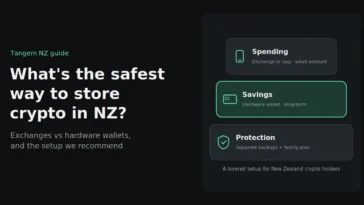
Skip the ideology. The practical test is how much you’d be upset to lose and how often you need to move it. Small, active balances belong in a hot wallet. Holdings you’d describe as savings belong in cold storage, offline, where a compromised phone can’t reach them.
Most people who’ve been at this a while run both.
A hot wallet is free, instant, easy to connect to dApps, and fine for day-to-day use. The downside is that the key lives on an internet-connected device, so malware, phishing and a stolen unlocked phone are all live risks.
Cold storage keeps the key off your phone or PC entirely. Transactions are signed on the device itself, and physical theft alone isn’t enough to move funds. It costs money, adds a step to every transaction, and recovery is entirely your responsibility.
A workable split: keep what you’d spend in a month hot, and everything else cold. Adjust as your holdings change.
The seed phrase problem, and the backup model that removes it
Seed phrases are cryptographically sound and behaviourally awful. A 24-word phrase is a bearer instrument: anyone who reads it owns your crypto, forever, from anywhere. In practice they get photographed “temporarily,” stored in Notes, lost in house moves, or found by the wrong family member.
The alternative is to make the backup a device rather than a document.
That’s the model Tangem uses. During activation, the chip generates a private key offline using a hardware random number generator, then clones it to your backup cards over an encrypted connection. The key never leaves the secure elements, and no phrase is ever displayed. Up to three devices (cards, a ring, or a combination) share one wallet.
Practically, that means you can store one device at home, one somewhere off-site, and carry the third. Lose the one you carry and you tap a backup to get your wallet back.
What’s good about it:
- Nothing written down that can be read, photographed or stolen
- CC EAL6+ certified secure element, with firmware that can’t be updated, which closes off remote firmware attacks
- Independent audits by Kudelski Security and Riscure found no backdoors
- No battery, no cables, IP69K rated, 25-year warranty
- 16,000+ assets across 90+ networks in one app
What’s genuinely limiting:
- No screen on the device. You verify transaction details in the phone app, which means trusting the app’s display
- Mobile only. No Windows, macOS or Linux support
- Multi-signature support is basic
- Devices are sold as a fixed set. Adding a fourth backup later isn’t possible
How to choose: a 7-point checklist for NZ buyers
Work through these in order. The first two eliminate most options.
- Recovery model you’d realistically execute. Be honest. If you won’t store a written phrase in two separate secure places, don’t buy a wallet that depends on one.
- Secure element certification. Look for a stated CC EAL rating (EAL6+ is at the high end). “Bank-grade” with no certification named means nothing.
- Asset and network coverage. Check your specific holdings, not the headline number. Smaller chains and staking support vary a lot.
- Phone compatibility. NFC wallets need an NFC-capable phone; app-based wallets have minimum OS versions.
- NZ delivery and authenticity. Buy from the manufacturer or an authorised NZ retailer. Never a marketplace resale.
- Support and warranty terms. Check what’s covered, for how long, and whether you can reach a human in an NZ timezone.
- Total NZD cost including backup. A wallet with no backup device is one accident away from a total loss. Price the complete setup.
Buying a hardware wallet in New Zealand
Buy new, from the manufacturer or an authorised local retailer, and verify the product before you activate it. A pre-owned or marketplace hardware wallet can arrive with a key someone else already knows, and you’d have no way to tell until your funds moved without you.
Practical points for NZ orders:
- Check tamper-evidence on arrival. Packaging, seals, and any authentication QR supplied with the device.
- Verify authenticity in the app before transferring any funds. The genuine-check is standard on Tangem devices.
- Expect GST-inclusive NZD pricing from a local seller, with no customs surprises or currency conversion margin.
- Local support is worth something real when you’re mid-setup with funds in transit.
You can compare NZ-stocked options, pricing and what ships in each box at tangem.nz. We’re the authorised New Zealand seller, stock is in Auckland, and prices are in NZ$ including GST.
Records the IRD will expect either way
Self-custody doesn’t change your tax position, but it does change your record-keeping. Transfers between wallets you own are not disposals, so moving crypto to your own hardware wallet isn’t a taxable event. Selling, swapping or spending it is.
Keep this for every transaction, for at least seven years:
- Date and time
- Asset and amount
- NZD value at the time
- Wallet addresses involved
- Fees paid
Cost basis is the part people lose track of first, and it’s the part that determines your tax bill. Shortfall penalties run from 20% for lack of reasonable care up to 150% for evasion, so the record-keeping earns its keep.
This is general information, not tax advice. Talk to a chartered accountant who handles crypto clients about your own situation.
FAQs
Are cryptocurrency wallets legal in New Zealand?
Yes. Crypto is legal to own and trade in NZ, though it isn’t legal tender. Self-custody wallets are legal, and IRD’s guidance assumes people hold crypto in personal wallets.
Do I have to pay tax when I move crypto to my own wallet?
No. Transferring between wallets you control isn’t a disposal, so there’s no tax event. Tax applies when you sell, swap, spend or earn crypto.
What’s the safest cryptocurrency wallet in NZ?
Safety depends more on your setup than the brand. The safest realistic option is a certified cold storage device with a backup you’ve actually stored securely, holding funds you don’t move often.
Do I need a seed phrase to use a hardware wallet?
Not always. Traditional hardware wallets require one. Card-and-ring wallets like Tangem replace it with additional devices that share the same key, so nothing needs to be written down.
Can one wallet hold Bitcoin, Ethereum and everything else?
Usually yes. Multi-chain wallets handle thousands of assets across dozens of networks in one app. Always check your specific holdings and whether staking is supported for them.
What happens if I lose my hardware wallet?
With a backup device or a securely stored recovery phrase, you restore access and move funds to a fresh wallet. With neither, the funds are unrecoverable, which is why the backup plan matters more than the device.
Can IRD see my private wallet?
Wallet addresses are public and chain analysis can link them to exchange KYC records. Self-custody isn’t anonymity, and shouldn’t be treated as such.